Introduction: Why Forms are the Heart of User Interaction
In the digital landscape of 2026, a website without an effective way to communicate with its audience is just a static digital brochure. For a high-authority tech portal like milioudis.com, engagement is the currency of success. Whether you are collecting feedback on your software guides, building an email list, or accepting guest post inquiries, you need a tool that is powerful, secure, and—most importantly—easy to use.
WPForms has long been recognized as the most beginner-friendly WordPress form builder plugin. However, with the 2026 updates, it has evolved into a sophisticated data collection engine. It combines a drag-and-drop interface with enterprise-level features, ensuring that anyone can build a professional form without writing a single line of code. In this 1,500-word masterclass for Milioudis Tech, we explore the 2026 version of WPForms and how to leverage its new AI capabilities.
1. What is WPForms? The “No-Code” Revolution
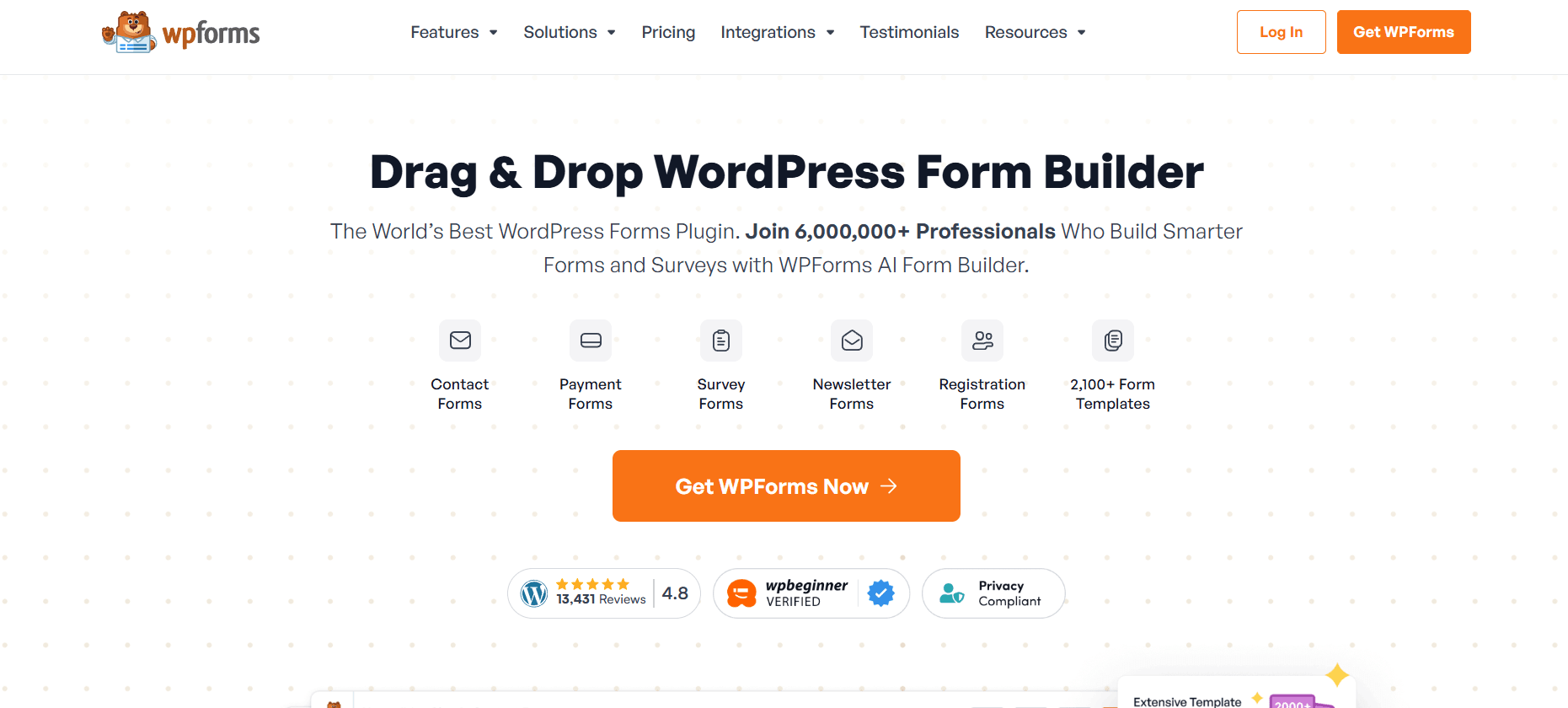
WPForms was created with a simple philosophy: users shouldn’t have to be developers to create a contact form. Since its launch, it has grown to power over 6 million websites. Its strength lies in its balance—it is light enough not to slow down your site, yet flexible enough to handle everything from a simple “Contact Us” box to complex multi-page surveys and payment forms.
In 2026, WPForms remains the gold standard because it prioritizes the user experience (UX) for both the website owner and the end visitor.
2. New Features in the 2026 Release (v1.9.x Series)
The 2026 release of WPForms is centered around automation and intelligent design.
AI Form Builder (Generative AI)
The standout feature of 2026 is the AI Form Creator. Instead of manually dragging fields, you can now type a prompt like: “Create a hardware repair request form with fields for serial number, issue description, and photo upload.” The AI automatically generates the entire form, including logical groupings and smart validation, saving hours of manual work.
Smart Conditional Logic 2.0
Conditional logic allows you to show or hide fields based on a user’s previous answers. In 2026, this has become “Predictive.” The system can now suggest follow-up questions based on common user behavior patterns, ensuring your forms remain as short and efficient as possible.
Built-in “Anti-Spam” Cloud
Spam protection is a major focus in 2026. WPForms now integrates directly with a proprietary Global Spam Cloud. It analyzes submission patterns across millions of sites in real-time to block bots before they even hit your “Submit” button, reducing the load on your server.
3. Core Functionalities: Building Beyond Contact Forms
Drag-and-Drop Form Builder
The core interface remains the most intuitive in the industry. You simply pick a field (Text, Email, Dropdown, File Upload) and drop it into place. In 2026, the builder is fully responsive, meaning you can see exactly how your form will look on a smartphone or tablet as you build it.
Pre-Made Form Templates
WPForms comes with hundreds of templates. Whether you need a “Software Feedback Form,” a “Newsletter Signup,” or a “Bug Report Form” for your technical guides on milioudis.com, there is a template ready for you to customize.
Entry Management
All your form submissions are stored directly in your WordPress database. You can view, search, and filter entries from your dashboard, or export them to CSV/Excel for further analysis. The 2026 version includes Entry Trends, giving you a visual chart of your submission volume over time.
4. Advanced Pro Features for 2026
Multi-Page Forms
For long surveys or complex registrations, you can break forms into multiple pages with a progress bar. This significantly improves conversion rates because users aren’t overwhelmed by a massive wall of questions.
File Uploads
This is essential for a tech site. You can allow users to upload screenshots, log files, or PDFs directly through your forms. WPForms 2026 handles these securely, storing them in your media library or sending them directly to cloud storage like Google Drive or Dropbox.
Payment Integrations
WPForms 2026 makes it easy to collect payments. With native integrations for Stripe, PayPal, and Square, you can turn any form into an order form. This is perfect for selling digital assets or consultancy services without needing a full e-commerce setup.
5. Marketing and Integration
A form is only as good as what happens after a user clicks “Submit.”
- Email Marketing: WPForms connects with Mailchimp, Constant Contact, AWeber, and more.
- Instant Notifications: Get an email or a Slack alert the moment someone contacts you.
- Confirmations: Show a custom “Thank You” message or redirect the user to a specific guide on your site after they finish the form.
6. Performance and Core Web Vitals
At Milioudis Technology, we care about speed. WPForms 2026 is built on a “Lean Script” architecture. It only loads the necessary JavaScript and CSS on the pages where a form actually exists. This ensures that your site maintains high scores in Google’s Core Web Vitals, which is crucial for SEO.
7. Comparison: WPForms vs. Contact Form 7
- Contact Form 7: It is free, but it requires knowledge of HTML/shortcodes and lacks built-in entry management or a drag-and-drop builder.
- WPForms: It is designed for productivity. It saves time, prevents errors, and provides a much more professional interface for your visitors.
8. Where and How to Download (Official 2026 Sources)
To ensure the security of your site and your users’ data, always use official channels:
- WordPress Plugin Repository: (For the Lite version) Go to
Plugins > Add Newand search for “WPForms”. - Official Website: wpforms.com (For the Pro and Elite versions with AI features).
- Direct Account Dashboard: If you are a Pro user, download the latest version from your WPForms account page.
- Note: Avoid “Nulled” versions at all costs. They often contain backdoors that can compromise your entire server.
9. Installation and Quick Setup Guide
- Install & Activate: From your WordPress dashboard.
- The Welcome Screen: WPForms will show a “Create Your First Form” button.
- Choose a Template: Select the “Simple Contact Form” to start.
- Drag & Drop: Add any extra fields you need.
- Embed: Use the “WPForms Block” in the Gutenberg editor to place the form on any page or post.
- Test: Always send a test submission to ensure your email notifications are working correctly.
10. Conclusion: The Final Verdict
WPForms 2026 is more than a form builder; it is a communication platform. It removes the technical barriers to entry and allows you to focus on building a relationship with your readers. For milioudis.com, it is the perfect tool to gather the insights and feedback needed to remain a top-tier tech authority.