Tableau is a revolutionary data visualization and business intelligence (BI) platform developed by Tableau Software (acquired by Salesforce). Renowned worldwide for its intuitive drag-and-drop interface, powerful analytical engine, and beautiful visual design, Tableau has transformed the way organizations interact with their data. It allows analysts, executives, and everyday business users to see and understand data without needing complex coding skills.
Where traditional spreadsheet tools fall short with rigid, static tables, Tableau shines by offering an interactive canvas where data comes alive, helping teams uncover hidden trends, spot anomalies, and make data-driven decisions at the speed of thought.
1. What is Tableau?
Tableau is a visual analytics platform designed to simplify raw data ingestion and turn it into highly interactive, shareable dashboards. Its core philosophy is centered on visual discovery: the human brain processes images much faster than rows of text, and Tableau builds its entire user experience around this psychological fact.
Unlike platforms that require complex database query language to generate charts, Tableau utilizes a proprietary technology called VizQL (Visual Query Language). As you drag and drop data fields onto the screen, VizQL translates your actions into database queries behind the scenes and renders the data visually in real-time.
2. The Core Architecture: The Tableau Ecosystem
Tableau is a comprehensive suite of products tailored to different stages of the data visualization pipeline:
- Tableau Desktop: The designer’s playground. A powerful local application (available for Windows and Mac) where analysts connect to data sources, clean and model data, write custom calculations, and design interactive dashboards.
- Tableau Prep Builder: An intuitive ETL (Extract, Transform, Load) tool. It provides a visual interface to merge, clean, shape, and prepare messy data before sending it to Tableau Desktop for visualization.
- Tableau Cloud (formerly Tableau Online): A secure, cloud-based SaaS platform where published dashboards are hosted. Users can access, interact with, and edit dashboards through any web browser.
- Tableau Server: The on-premises counterpart to Tableau Cloud. It gives larger organizations complete control over their hardware, security protocols, and data infrastructure.
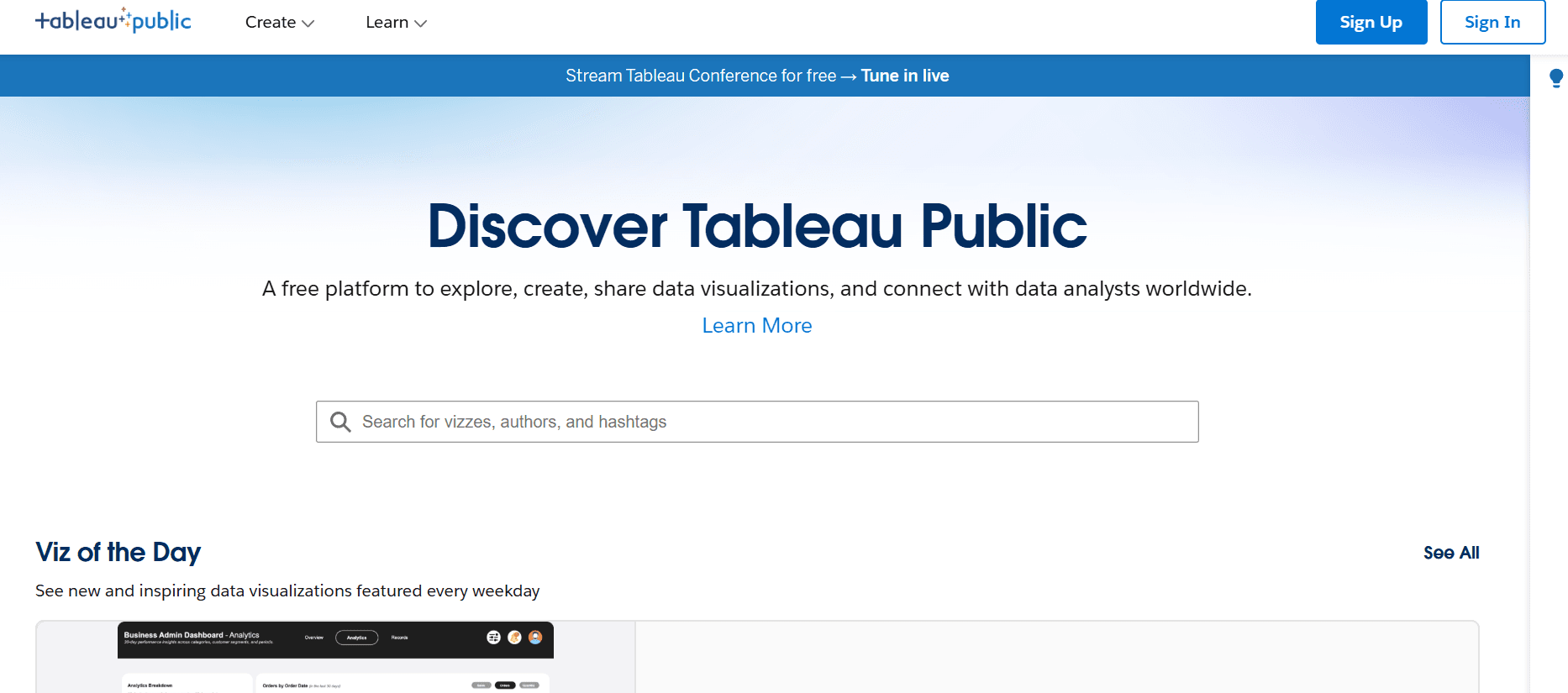
- Tableau Public: A free, public version of Tableau Desktop. Anyone can use it to build dashboards, but all work must be saved to the public web. It is widely used by journalists, academics, and data hobbyists.
- Tableau Mobile: A companion app for iOS and Android, offering responsive, finger-friendly layouts of your live business dashboards.
3. Key Features and Capabilities
A. Limitless Visual Flexibility
If you can dream of a chart, you can build it in Tableau. While it supports standard bar and line graphs, it excels at complex visualizations:
- Advanced Mapping: Built-in geocoding allows you to easily plot spatial data, custom shapefiles, and choropleth maps.
- Custom Charts: Easily construct specialized charts like Gantt, Bullet, Treemaps, Box Plots, and custom dual-axis visuals.
- Dashboards & Stories: Combine multiple worksheets into cohesive dashboards, or use the “Story” feature to guide decision-makers through a sequence of annotated insights.
B. High-Performance Data Connections
Tableau features hundreds of native connectors to access data wherever it resides:
- Live vs. Extract Connections: You can connect Live to databases for real-time monitoring, or create an Extract (powered by Tableau’s fast in-memory database engine, Hyper) for rapid offline analysis of massive datasets.
- Multi-Source Joins: Merge spreadsheets, cloud databases, and web services in a single workspace.
C. Advanced Analytical Calculations
Tableau goes beyond simple math with robust calculation tools:
- Level of Detail (LOD) Expressions: A unique feature allowing you to perform calculations at different levels of granularity (independent of your visual view) for highly complex database querying.
- Table Calculations: Run quick running totals, moving averages, and percentile ranks with a couple of clicks.
- R & Python Integration: Integrate statistics scripts directly into your Tableau calculations for advanced predictive modeling.
4. Why Choose Tableau?
- True Visual Discovery: It encourages users to experiment with data freely. You don’t have to define your chart type before you start; you simply explore.
- Cross-Platform Desktop Client: Unlike Power BI Desktop, Tableau Desktop runs natively and smoothly on both Windows and macOS.
- The Tableau Community (“DataFam”): Tableau boasts one of the most passionate and active developer communities in the world. Platforms like Tableau Public host millions of shared inspirations.
- Salesforce Integration: As a Salesforce company, Tableau integrates beautifully with Salesforce CRM, bringing visual analytics directly into customer workflows.
5. Pros and Cons
| Pros | Cons |
| Unmatched design flexibility and beautiful aesthetics. | High licensing cost compared to competitors like Power BI. |
| Supports both Windows and macOS natively. | Steeper learning curve for advanced calculation logic (LODs). |
| Extremely fast in-memory query engine (Hyper). | Basic data prep can be limiting without Tableau Prep Builder. |
| Incredibly robust geospatial mapping capabilities. | Lacks a fully functional free option for private business data. |
6. Where to Download Tableau
Depending on your needs, you can download different versions of Tableau.
1. For Professional Creators (Tableau Desktop / Tableau Prep)
To build private business reports, you need to purchase a license (Creator) or sign up for a trial.
- Official Download Page: Visit tableau.com/support/releases
- Trial Version: You can download a free 14-day trial of Tableau Desktop directly from tableau.com/products/desktop/download.
- Students & Academics: Students and instructors worldwide can request a free, renewable one-year license through the Tableau Academic Program.
2. For Free Public Use (Tableau Public)
If you want to practice your skills on public data without paying for a license:
- Official Website: Go to public.tableau.com
- Create an account and download the free Tableau Public Desktop client for Windows or Mac.
3. For Mobile Devices
Keep track of your organization’s metrics on the move:
- Android: Download from the Google Play Store.
- iOS (iPhone/iPad): Download from the Apple App Store.
Summary
Tableau is the gold standard for visual storytelling. It bridges the gap between technical data warehousing and real-world business understanding, allowing organizations to create stunning, actionable, and secure analytical landscapes.
Final Tip: When designing in Tableau, leverage “Dashboard Actions.” By setting up simple hover or click actions, you can turn a basic chart into a dynamic filter for your entire dashboard, making exploration highly intuitive for your end-users!