

IrfanView
Introduction: The Legacy of Speed and Efficiency
In an era of high-resolution 8K photography and massive digital assets, the ability to view, edit, and convert images quickly is more than a convenience—it’s a necessity. While modern operating systems come with built-in photo viewers, they are often slow, resource-heavy, and limited in format support.
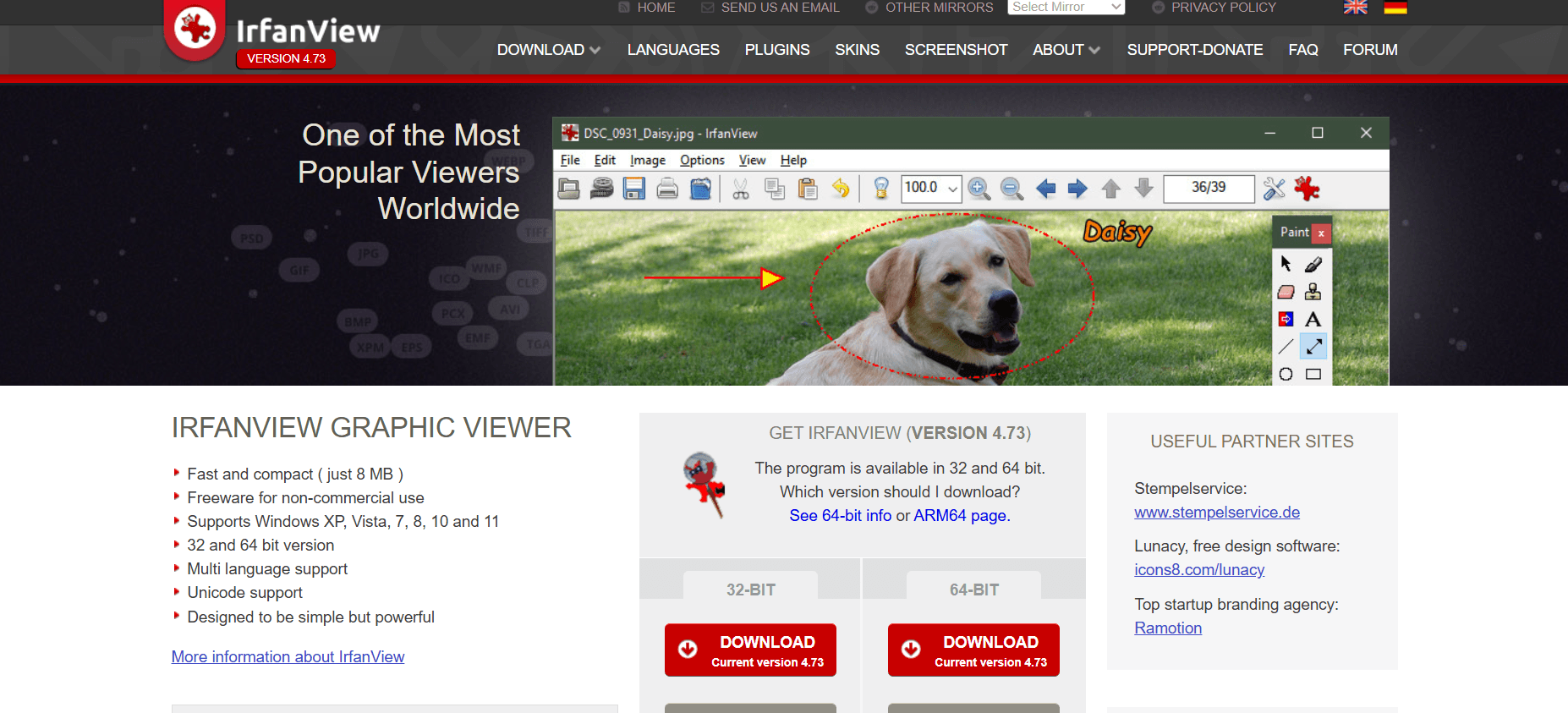
IrfanView, created by Irfan Skiljan, has remained the undisputed king of image viewers for three decades. It is small, blazingly fast, and handles almost every file format in existence. In this 1,500-word masterclass for Milioudis Tech, we will explore the 2026 version of IrfanView (v4.73) and why it remains an essential tool for every Windows user.
1. What is IrfanView? The “Swiss Army Knife” of Graphics
IrfanView is a freeware (for non-commercial use) graphic viewer for Windows. Its philosophy is simple: Maximum power with minimum system impact. Unlike modern “App” style viewers that take seconds to load, IrfanView opens instantly. It was the first Windows graphic viewer worldwide with Multiple (Animated) GIF support, Multipage TIF support, and Multiple ICO support. Today, it has evolved into a multimedia powerhouse that handles not just images, but also video and audio files.
2. New Features in the 2026 Release (Version 4.73)
The latest 2026 update has brought IrfanView into the modern hardware era, with specific optimizations for high-end workstations and mobile productivity.
Native ARM64 Support
With the rise of ARM-based Windows laptops in 2026 (like the Snapdragon X series), IrfanView now offers a native ARM64 version. This ensures maximum battery efficiency and speed on the latest portable devices, making it the go-to viewer for “Windows on ARM” users.
Advanced Multithreading for Batch Processing
The 2026 version has overhauled its Batch Conversion engine. It now utilizes all available CPU cores (Multithreading) to process hundreds of images simultaneously. Whether you are resizing 1,000 photos or converting them to WebP, the process is now up to 5x faster than older versions.
Improved 32-BPP and Alpha Channel Handling
Handling transparency has always been a challenge for simple viewers. The new Alpha/Transparency options (under Properties > Viewing) allow users to show a “checkerboard” background, making it easy to see transparent areas in PNG, WEBP, and ICO files. You can now also set or edit the alpha color directly from the Image menu.
3. Core Functionalities: Why Professionals Love It
Instant Search and Thumbnail Preview
IrfanView includes a separate Thumbnails application. It allows you to browse through thousands of images with lightning speed, performing tasks like “Lossless JPG Rotation” or “Create Contact Sheet” without ever opening a heavy editor.
The Power of Plugins
While the base program is only about 5MB, its functionality is infinite thanks to Plugins.
- OCR Plugin: Convert text inside an image into editable TXT files or read QR/Barcodes instantly.
- Metadata Handling: View and edit deep EXIF, IPTC, and Comment information.
- Format Expansion: Open rare formats like HEIC (from iPhones), RAW (from professional cameras), and even CAD files.
Professional Batch Processing
The “Batch Conversion/Rename” tool is arguably IrfanView’s most powerful feature. You can:
- Rename thousands of files using complex patterns.
- Apply “Advanced Options” like auto-crop, resize, watermark, and color correction to an entire folder of images in one click.
4. Editing Capabilities: Faster than Photoshop
You don’t always need a 2GB photo editor to make a quick change. IrfanView’s Paint Dialog (F12) and Image Menu allow for:
- Lossless JPG Operations: Rotate or crop a JPG without losing a single pixel of quality.
- Auto-Adjust Colors: Fix lighting and contrast with one keyboard shortcut (
Shift + U). - Watermarking: Quickly overlay text or logos on your images for copyright protection.
- Canvas Size and Border: Add frames or expand the background for social media posts.
5. Multimedia and Beyond
IrfanView isn’t just for JPEGs. In 2026, it serves as a universal media player:
- Video/Audio: Play MP4, MKV, MP3, and FLAC files using the updated Video plug-in.
- PDF Support: Using the Postscript/Ghostscript plugin, IrfanView becomes a high-speed PDF viewer and converter.
- Slideshows: Create professional-looking slideshows that can be saved as an EXE or SCR (Screensaver) file.
6. Security and Privacy: A Zero-Tracking Tool
In the privacy-conscious world of milioudis.com, IrfanView is a hero.
- No Telemetry: It does not “phone home” or track what images you view.
- Local Processing: All conversions and edits happen on your hardware, not in the cloud.
- Safe for Business: While freeware for personal use, its commercial license is incredibly affordable, making it a favorite for secure IT environments.
7. Comparison: IrfanView vs. XnView vs. FastStone
- Vs. XnView: XnView has a more modern browser-like interface, but IrfanView is significantly faster for single-file opening and batch tasks.
- Vs. FastStone: FastStone is excellent for photographers due to its full-screen UI, but IrfanView supports a much wider variety of obscure file formats (like retro Amiga or C64 formats).
8. Where and How to Download (Official 2026 Sources)
To ensure your security, always avoid third-party “re-packers.” Use the official developer links:
- Official Website: irfanview.com
- Direct Download (64-bit): Look for
iview473_x64_setup.exe. - Plugins Pack: Crucial for full functionality. Download the
irfanview_plugins_x64_setup.exe. - Microsoft Store: For those who prefer the “App” experience with automatic updates, search for IrfanView in the Windows Store.
- Portable Version: Every version of IrfanView is portable. You can simply copy the installation folder to a USB stick and run it on any PC.
9. Quick Setup Guide for New Users
- Installation: Choose the 64-bit version for Windows 11.
- Associate Extensions: During setup, click “Images Only” to make IrfanView your default photo viewer.
- Install Plugins: Immediately run the Plugins installer to enable support for HEIC, WEBP, and Video.
- Hotkeys to Remember:
Enter: Full screen.L / R: Rotate Left/Right.S: Save as.B: Batch conversion.F12: Show Paint tools.
10. Conclusion: The Verdict
IrfanView is a masterclass in software engineering. In an age of “bloated” software, it proves that a small, focused tool can be more powerful than a multi-gigabyte suite. It is the definitive image viewer of 2026—fast, versatile, and completely free for personal use.
For the readers of milioudis.com, IrfanView is a “Must-Install.” It saves time, reduces system clutter, and empowers you to handle any visual task with professional precision.