
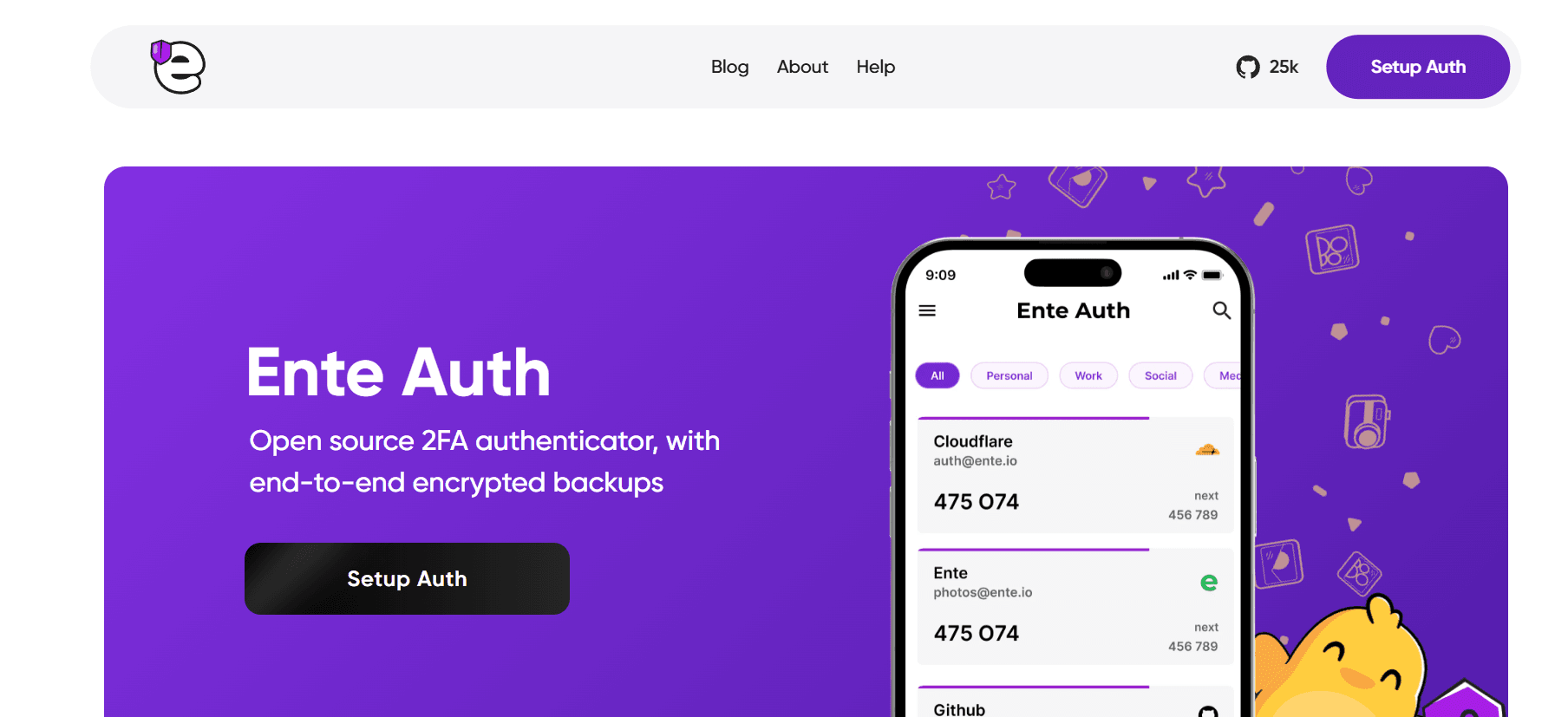
Ente Auth
Introduction: The Critical Need for Secure Authentication
In 2026, a simple password is no longer enough to protect your digital identity. With the rise of sophisticated phishing attacks and AI-driven data breaches, Two-Factor Authentication (2FA) has moved from being an optional security measure to a mandatory requirement for every internet user. However, not all 2FA apps are created equal.
While many users still rely on Google Authenticator or the now-limited Authy, a new champion has emerged for those who prioritize privacy and transparency: Ente Auth. Part of the Ente ecosystem (known for its encrypted photo storage), Ente Auth is a free, cross-platform, and fully open-source authenticator that solves the biggest problems of its competitors. In this 1,500-word deep dive for Milioudis Tech, we will explore why Ente Auth is the only 2FA app you will ever need.
1. What is Ente Auth? The Open-Source Advantage
Ente Auth is a Time-based One-Time Password (TOTP) generator. Its primary job is to create those 6-digit codes you need to log into services like GitHub, Google, Binance, and ProtonMail.
What sets it apart is its Open-Source nature. Unlike proprietary apps where you have to “trust” the developer, Ente Auth’s entire codebase is available on GitHub for anyone to audit. This transparency ensures there are no hidden backdoors or data-tracking scripts. For the security-conscious audience of milioudis.com, this is the ultimate “green flag.”
2. New Features in the Latest 2026 Version
The latest 2026 release of Ente Auth (v4.4.x) has introduced several game-changing features that elevate it above Google and Microsoft’s offerings.
End-to-End Encrypted (E2EE) Cloud Backups
The biggest fear with 2FA apps is losing your phone. If you lose your device and don’t have backups, you could be locked out of your accounts forever. Ente Auth solves this with E2EE Cloud Backups. Your secrets are encrypted on your device before they are uploaded to Ente’s servers. Only you hold the decryption key (derived from your master password). Even Ente itself cannot see your codes.
Multi-Device Synchronization
In 2026, we work across multiple screens. Ente Auth syncs your codes seamlessly across:
- Mobile: Android and iOS.
- Desktop: Windows 11, macOS (Silicon native), and Linux.
- Web: Access your codes via a secure web portal (auth.ente.io).
The “See Next Code” Feature
A small but brilliant quality-of-life update: Ente Auth now displays the next 6-digit code a few seconds before the current one expires. This prevents that frustrating moment where you type a code just as it changes, causing a login failure.
3. Why Ente Auth Outperforms the Competition
Ente Auth vs. Authy
Authy was once the king of 2FA because of its multi-device sync. However, Authy recently discontinued its desktop app, forcing users to use only their phones. Ente Auth provides the same (and better) sync capabilities while maintaining a dedicated, high-performance desktop application for Windows, Mac, and Linux.
Ente Auth vs. Google Authenticator
Google Authenticator finally added cloud sync recently, but it lacks the advanced organization features of Ente. Ente Auth allows you to:
- Add Tags: Group your codes (e.g., “Work,” “Social,” “Crypto”).
- Custom Icons: Easily identify accounts with a massive library of brand icons.
- Search: A lightning-fast search bar to find codes in seconds.
4. Security Architecture: The “Zero-Knowledge” Model
For a technical audience, the “how” is just as important as the “what.” Ente Auth uses a Zero-Knowledge Architecture.
- Encryption: Your 2FA secrets are encrypted using XChaCha20-Poly1305.
- Key Derivation: Your master password is put through Argon2id (a memory-hard hashing function) to create the encryption key.
- Privacy: Not only are the codes encrypted, but the account names and service titles are also encrypted. To a hacker looking at Ente’s servers, your data looks like random gibberish.
5. Privacy First: No Tracking, No Analytics
In 2026, even “free” apps usually “pay” for themselves by selling your metadata. Ente Auth is different. It includes zero trackers, zero telemetry, and zero ads. It doesn’t even ask for your phone number—only an email address if you want to use the cloud sync feature (and you can use it entirely offline if you prefer).
6. How to Migrate to Ente Auth (Easy Import)
One of the biggest hurdles to switching 2FA apps is the manual setup. Ente Auth makes this effortless with its Import Tool.
- From Aegis/andOTP: Direct file import.
- From Google Authenticator: Simply export your “Transfer QR Code” from Google and scan it with Ente.
- Bulk Import: Support for
otpauth://URI files.
7. Where and How to Download (Official 2026 Links)
To protect your security, never download Ente Auth from third-party sites. Use these official channels:
- Official Website: ente.io/auth
- Desktop: Windows (msi/exe), macOS (dmg), and Linux (AppImage/deb).
- Mobile: Google Play Store, Apple App Store, and F-Droid (for the de-googled Linux/Android fans).
- Web Portal: auth.ente.io
8. Conclusion: The New Standard for 2FA
Ente Auth is a rare piece of software: it is powerful enough for cybersecurity professionals yet simple enough for your non-tech-savvy family members. By combining open-source transparency with the convenience of encrypted cloud sync, it has effectively ended the “2FA dilemma.”
For the readers of Milioudis Tech, switching to Ente Auth is the single most important security upgrade you can make this year.