Introduction: The Problem with Modern Windows Search
In 2026, as our hard drives expand into multiple terabytes and cloud integration becomes the norm, finding a single file among millions has become a digital nightmare. Microsoft’s native Windows Search has often been criticized for being slow, resource-heavy, and prone to indexing errors. Many users find themselves waiting minutes for a simple filename query, only to be met with irrelevant web results or “no files found.”
This is where Everything by voidtools steps in. It is, quite simply, the fastest search engine for Windows ever created. It provides near-instantaneous results, uses almost zero system resources, and offers advanced features that turn any amateur user into a data-retrieval pro. In this 1,500-word masterclass for Milioudis Tech, we will explore the 2026 version of Everything and why it is the first utility you should install on any PC.
1. What is “Everything”? The Magic of NTFS Indexing
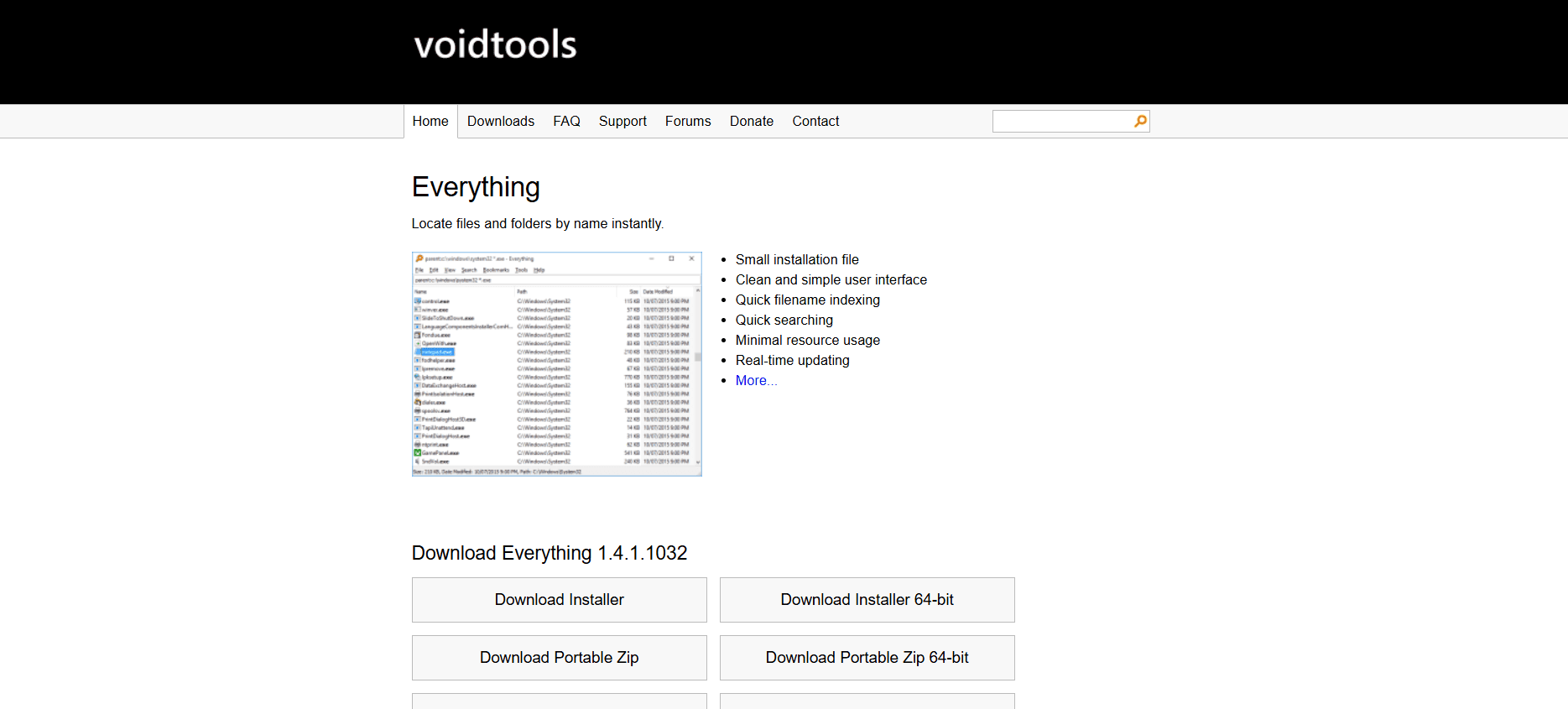
Everything is a freeware search utility that locates files and folders by name instantly. Unlike other search tools that “crawl” through your files one by one, Everything uses a much smarter method.
Harnessing the Master File Table (MFT)
The secret to Everything’s speed lies in its interaction with the NTFS Master File Table (MFT). Instead of looking at the content of the files, it reads the metadata index that Windows keeps for its own file management. Because it only reads this pre-existing list, it can index an entire fresh installation of Windows (approx. 120,000 files) in less than one second. Even a massive 10TB drive with millions of files can be fully indexed in under a minute.
2. New Features in the 2026 Update: Everything 1.5 Alpha
The latest 2026 release, primarily available through the 1.5 Alpha branch, has brought the software into the modern era with long-awaited features.
Full Dark Mode Support
Responding to years of user requests, the 2026 version features a native Dark Mode that perfectly matches the Windows 11 aesthetics. It is easy on the eyes during late-night coding or research sessions.
Advanced Property Indexing
While the classic version only indexed filenames, the 1.5 Alpha allows for Property Indexing. This means you can now search and sort by:
- Dimensions: Find all images larger than 1920×1080.
- Date Taken: Sort photos by the exact second they were captured.
- Media Metadata: Search by Artist, Album, or Bitrate for audio files.
- Document Author: Filter Word or PDF files by their creator.
Content Searching (On Demand)
Although Everything is primarily a filename searcher, the new version has improved its “Content:” function. While it doesn’t index content (to save RAM), it can now “live-scan” files for specific text strings much faster than previous versions, making it a viable tool for finding specific snippets inside code or text documents.
3. Core Functionalities for Power Users
Instant Search-as-you-type
The UI is minimalist. You open the window, start typing “report,” and every file containing that word appears instantly. There is no “Enter” key required; the results update in real-time as you add or remove letters.
Boolean Operators and Wildcards
For complex tasks, Everything supports advanced syntax:
- AND / OR: Use
|for OR (e.g.,jpg | pngto see all images). - Wildcards: Use
*to represent any characters (e.g.,*final*.doc). - Exclusion: Use
!to hide results (e.g.,work !draftto see work files but exclude anything with “draft” in the name).
RegEx (Regular Expressions)
For developers and IT professionals, Everything’s full support for Regular Expressions is a godsend. You can create highly specific patterns to find files that follow specific naming conventions, making bulk organization a breeze.
4. The “Lightweight” Advantage
In an era of “bloatware,” Everything is a marvel of efficiency:
- Small Footprint: The installer is less than 2MB.
- Low RAM Usage: To index 1,000,000 files, it uses only about 75MB of RAM.
- Zero Background Lag: It only updates its index when the file system changes (via USN journals), so it never bogs down your CPU while you are gaming or working.
5. Security and Privacy: Local-First Search
Everything is a local tool. It does not upload your file list to the cloud, and it does not track your search history for advertising. For the privacy-conscious audience of milioudis.com, this is a critical distinction from Windows Search, which often sends queries to Bing servers.
Everything Server (Remote Search)
A unique feature of the 2026 version is the Everything Server. You can turn your main workstation into a search host, allowing you to search for files on your home PC from your phone or laptop via a secure, password-protected web interface.
6. Customization and “Everything” Integration
The software is highly customizable. You can:
- Set Global Hotkeys: I recommend
Alt + Sto bring up the search window instantly from anywhere. - Context Menu Integration: Right-click any folder to “Search Everything…” within that specific directory.
- Export Results: Save your file lists as CSV or EFU files for audit or backup purposes.
7. Comparison: Everything vs. Windows Search
- Speed: Everything is instantaneous; Windows Search is delayed.
- Results: Everything shows “system” and “hidden” files; Windows Search often hides them.
- Resources: Everything uses minimal RAM/CPU; Windows Search is a known resource hog.
- Network: Everything can index network drives (mapped drives) with ease, whereas Windows Search often struggles with non-local storage.
8. Where and How to Download (Official 2026 Sources)
To ensure your security and get the latest 2026 build, always download from the official developer:
- Official Website: voidtools.com
- Stable Version: v1.4.1.1032 (Recommended for most users).
- Experimental Version: v1.5 Alpha (Recommended for the latest 2026 features like Dark Mode and Property Indexing).
- Portable Version: You can download the “Portable Zip” to run Everything from a USB stick without installation—perfect for IT troubleshooting.
- Language Packs: Everything supports over 30 languages, including a full Greek translation.
9. Installation and Quick Setup
- Download: Choose the 64-bit installer for modern Windows 11 PCs.
- UAC Prompt: Select “Install Everything Service.” This allows the program to run with the necessary permissions to read the NTFS index without asking for admin rights every time you open it.
- Index: Upon first launch, wait 5-10 seconds for the initial index to build.
- Hotkeys: Go to
Tools > Options > Keyboardand set a “Show Window” shortcut.
10. Conclusion: The Verdict
Everything by voidtools is perhaps the most efficient piece of software ever written for Windows. It solves a fundamental problem with such speed and grace that once you use it, you can never go back to the standard Windows Search. It is free, it is safe, and it is incredibly powerful.
For the followers of Milioudis Tech, Everything is a “must-have” utility. Whether you are searching for a lost document from 2019 or organizing a massive library of 4K videos, Everything will find it before you can even finish typing the name.