Introduction: Why Your Standard Clipboard is Holding You Back
In the modern digital workflow, we copy and paste hundreds of times a day. However, the standard Windows clipboard has a fatal flaw: it is ephemeral. The moment you copy something new, the previous item is gone forever. While Windows 10 and 11 introduced a basic “Clipboard History” (Win+V), it is limited, lacks deep search, and often fails with large files or complex data types.
Enter Ditto. For over a decade, Ditto has been the gold standard for clipboard management. It is a free, open-source extension to the standard Windows clipboard that saves every item you copy, allowing you to retrieve it seconds, days, or even months later. In this 1,500-word deep dive for Milioudis Tech, we will explore why the 2026 version of Ditto is an indispensable tool for anyone looking to master their workflow.
1. What is Ditto? The Open-Source Powerhouse
Ditto is more than just a “history list.” It is a local database that captures everything: plain text, formatted HTML, rich text (RTF), images (with thumbnails), and even custom data formats used by specialized software.
Because it is Open-Source (GPL license), it is completely free of ads, tracking, and “pro-version” paywalls. It is developed by Scott Brogden and maintained by a passionate community that ensures it stays compatible with the latest Windows 11 updates.
2. New Features in the Latest 2026 Release
The 2026 version of Ditto has brought several modern enhancements to its classic Win32 interface, focusing on speed and large-scale data management.
Optimized SQLite Database Engine
As users store more data, database speed becomes an issue. The 2026 update uses an optimized SQLite engine that allows users to maintain histories of over 50,000 clips (sometimes exceeding 10GB in size) without a single millisecond of lag during a search.
Enhanced Image Previews
Ditto now generates high-fidelity thumbnails for copied images and screenshots. When you bring up the Ditto window, you can instantly recognize the image you need without having to paste it first.
Better Integration with Windows 11
The latest version respects the Windows 11 “Dark Mode” and “Mica” design language more effectively, making it feel like a native part of the operating system rather than a legacy utility.
3. Core Functionalities: Beyond Simple Copy-Paste
The “Search-as-you-type” System
The “killer feature” of Ditto is its search bar. The moment you open the Ditto window (default: Ctrl + `), you can just start typing. Ditto performs a full-text search through your entire history.
- Example: If you copied an IBAN three weeks ago, just type “IBAN” and Ditto will find it instantly.
Organizing with Groups
For power users, a flat list isn’t enough. Ditto allows you to create Groups (folders). You can move frequently used snippets—like email signatures, code blocks, or common support replies—into a group and even assign a specific hotkey to that group. This effectively turns Ditto into a “Snippet Manager.”
Multi-Select and Collective Paste
One of Ditto’s most powerful productivity tricks is the ability to select multiple clips (using Shift or Ctrl) and paste them all at once. This is a game-changer when moving data from one spreadsheet to another or gathering information from multiple websites into a single document.
4. Advanced Technical Features for Power Users
Network Synchronization (Encrypted)
Ditto allows you to keep the clipboards of multiple computers in sync across a local network.
- The Use Case: You copy a link on your laptop and it instantly appears in the Ditto history of your desktop workstation.
- Security: All data sent over the network is fully encrypted, ensuring that sensitive clips aren’t intercepted on the local Wi-Fi.
Sticky Clips and Pinned Items
If there is a piece of information you use every day, you can “Pin” it or make it a “Sticky Clip.” These items will always stay at the top of your list (or at a specific position), regardless of how many new things you copy.
Formatting Stripper (Paste as Plain Text)
We have all experienced the frustration of copying text from a website and having it mess up the formatting in a Word document. With a simple hotkey (Shift + Enter by default), Ditto can “strip” all HTML/RTF formatting and paste the content as Clean Plain Text.
5. Security and Privacy: A Local-First Approach
In an era where “Cloud” often means “Surveillance,” Ditto stands out by being Local-First.
- No Cloud: Your data never leaves your machine unless you specifically set up the network sync.
- No Telemetry: Ditto doesn’t track what you copy or how you use the app.
- Local Encryption: You can configure Ditto to encrypt its local database, protecting your history from other users on the same PC.
6. How to Master the Ditto Keyboard Shortcuts
To reach peak productivity, you must stop using the mouse. Ditto is designed for “Keyboard-First” workflows:
- Ctrl + ` (Backtick): Open/Close Ditto window.
- F3: View a full-screen preview of the selected clip (great for images).
- Alt + Enter: Edit the content of a clip before pasting.
- Ctrl + 1, 2, 3…: Paste the 1st, 2nd, or 3rd item in the list directly.
- Esc: Close the window and return to your work.
7. Customization: Making Ditto Your Own
The “Options” menu in Ditto is legendary for its depth. You can customize:
- Expiration Rules: Automatically delete clips older than X days or keep only the last X clips.
- Transparency: Make the Ditto window semi-transparent so you can see your work behind it.
- Positioning: Have the window appear at the mouse cursor, the text caret, or a fixed corner of the screen.
8. Where and How to Download (Official 2026 Sources)
Because Ditto is an open-source project, you should only download it from verified repositories to avoid malware-injected versions:
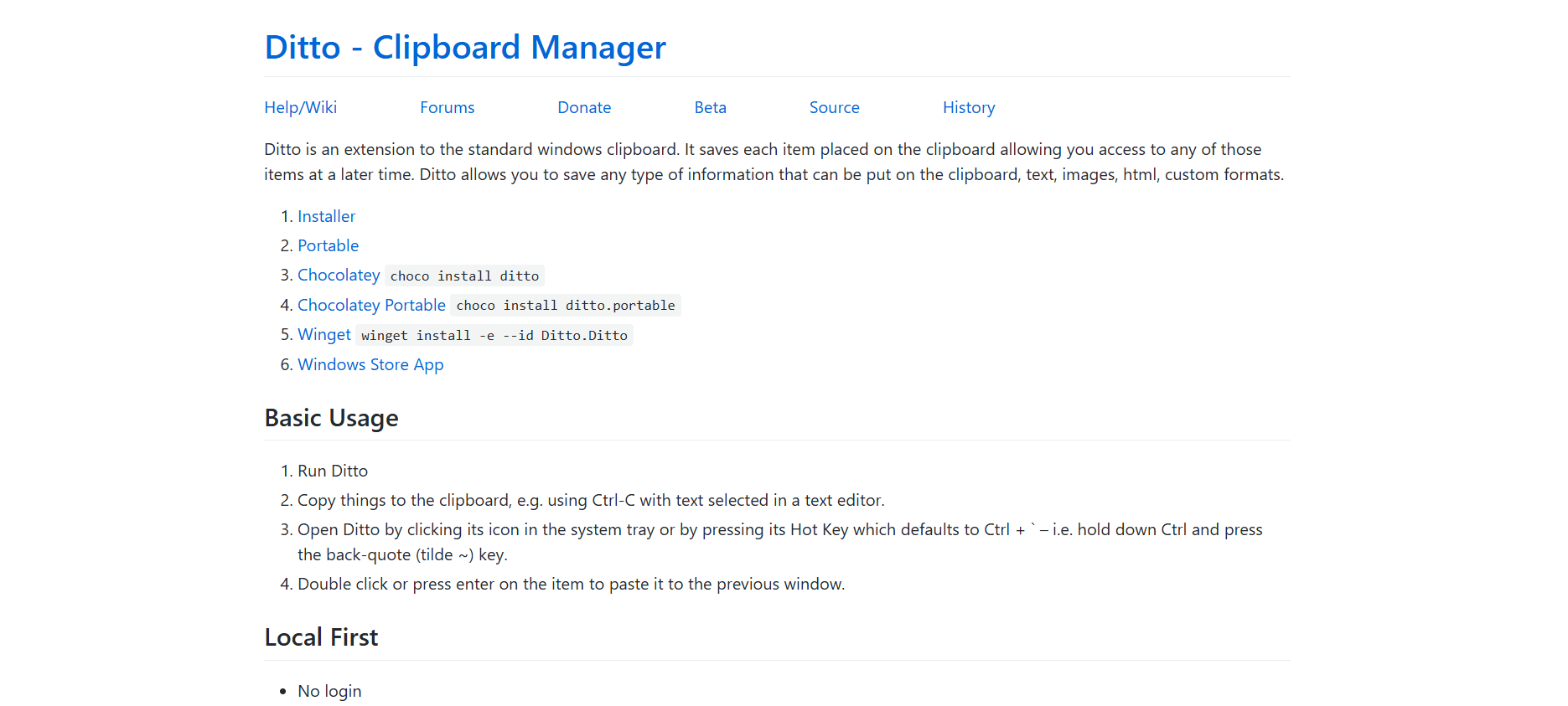
- Official Website: sabrogden.github.io/Ditto/
- SourceForge: sourceforge.net/projects/ditto-cp/
- Microsoft Store: For those who prefer the security of the Windows Store environment.
- Portable Version: Available on PortableApps.com for users who want to run Ditto from a USB drive without installation.
- Package Managers: For developers, you can install it via Winget:
winget install -e --id Ditto.Ditto
9. Installation and Setup Guide
- Download: Choose the 64-bit installer for modern Windows 11 systems.
- First Run: After installation, Ditto will sit in your System Tray (near the clock).
- Configure: Right-click the icon > Options. Set your “Maximum Number of Saved Copies” (I recommend 500-1000 for starters).
- Permissions: Ensure Ditto is set to “Start with Windows” so your history is always being captured.
10. Final Verdict: The “Must-Have” Utility of 2026
Ditto is not just a utility; it is a memory extension for your computer. It removes the stress of “losing” a piece of information and turns the simple act of copy-pasting into a powerful data management system. For the readers of milioudis.com, Ditto is the first program I recommend installing on any new Windows machine. It is free, it is fast, and once you use it for a week, you will wonder how you ever worked without it.