1. What is Proton Pass?
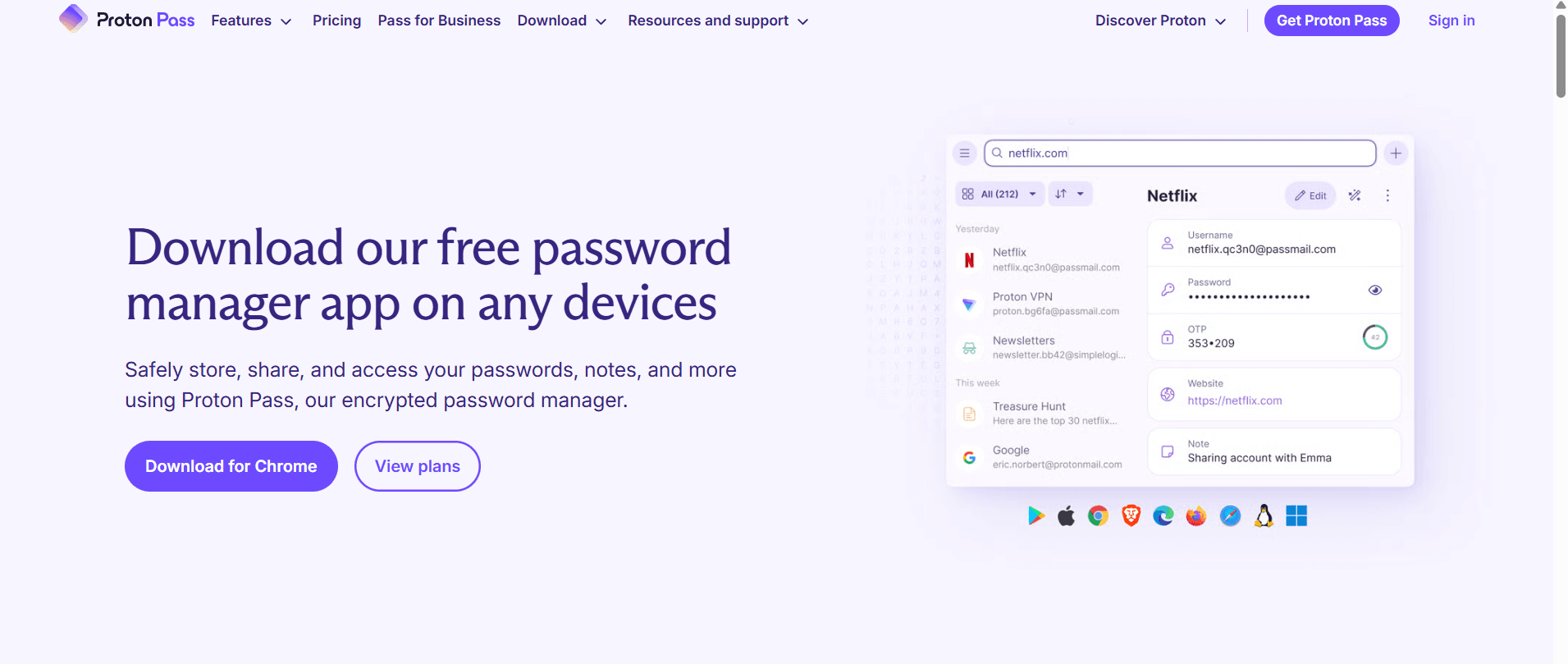
Proton Pass is more than a simple vault for passwords; it is an identity protection suite. Built on the principle of Zero-Knowledge Encryption, it ensures that your sensitive data is encrypted on your device before it ever reaches Proton’s servers.
Core Security Architecture
The application utilizes AES-256 encryption to secure your vault. Authentication is handled via SRP (Secure Remote Password), meaning your Master Password is never transmitted over the internet, making it virtually impossible for hackers to intercept it during login.
2. Features of the Latest Version
The newest iteration of Proton Pass has transitioned from a basic manager to a comprehensive security hub with several standout features:
A) Integrated “Hide-My-Email” Aliases
Through its integration with SimpleLogin, Proton Pass allows you to create unique email aliases for every website you join. This prevents services from tracking you across the web and ensures that if a site is breached, your real email address remains hidden.
B) Built-in 2FA Authenticator
The latest version eliminates the need for separate apps like Google Authenticator. It can store, generate, and auto-fill Two-Factor Authentication (2FA) codes (TOTP) directly into login fields, streamlining the security process without sacrificing safety.
C) Proton Pass Sentinel
This is a high-security monitoring system designed to protect high-value accounts. It uses AI-driven analysis combined with human oversight to detect and block suspicious login attempts in real-time, even if a perpetrator has somehow obtained your credentials.
D) Secure Vault Sharing
Users can now create shared vaults to securely pass login credentials to family members or colleagues. You can set granular permissions (read-only or editor) to maintain control over who can modify sensitive information.
3. Why Choose Proton Pass?
- Swiss Privacy Jurisdiction: Based in Switzerland, Proton benefits from some of the world’s strongest privacy laws, outside of US and EU surveillance jurisdictions.
- Open Source & Audited: The code is entirely open-source, allowing independent security experts to verify that there are no “backdoors.”
- Offline Access: You can access your stored credentials even without an active internet connection.
- Cross-Platform Sync: It synchronizes instantly across all your devices, ensuring you are never locked out of an account.
4. How and Where to Download
To ensure you are getting the authentic, malware-free version, always use official sources.
Official Download Link:
You can find all versions at: proton.me/pass/download
Available Platforms:
- Browsers: Extensions for Chrome, Firefox, Edge, Brave, and Safari.
- Mobile: Dedicated apps for iOS (App Store) and Android (Google Play Store).
- Desktop: Standalone desktop applications for Windows and macOS (Linux support is available via the browser extension or web app).
Setup Instructions:
- Navigate to the link above and select your preferred platform.
- Create a Proton Account (if you don’t already have one).
- Set a Master Password. This is the most important step—Proton cannot reset this for you. If you lose it, you lose access to your data.
- Import your data: You can easily migrate from Chrome, Bitwarden, or LastPass by importing a .csv file.
5. Free vs. Plus Version
| Feature | Free Version | Plus Version |
| Devices | Unlimited | Unlimited |
| Hide-My-Email Aliases | 10 | Unlimited |
| 2FA Authenticator | No | Yes |
| Pass Sentinel | No | Yes |
Final Verdict
Proton Pass represents a significant shift in how we manage digital identities. By moving beyond just “storing strings of text” and incorporating email aliasing and advanced threat monitoring, it provides a holistic shield for your online life.
Would you like me to guide you through the steps of importing your existing passwords from a specific browser?