Introduction: The Evolution of Digital Organization
In the modern digital landscape, our brains are constantly bombarded with “open loops”—unfinished tasks, fleeting ideas, and looming deadlines. The psychological cost of trying to remember everything is “cognitive overload.” This is where Todoist steps in.
Since its inception, Todoist has evolved from a simple checklist into a sophisticated productivity ecosystem. In 2026, it stands as the gold standard for task management, used by over 30 million people worldwide. In this 1,500-word deep dive for Milioudis Tech, we will analyze why Todoist remains the king of productivity and how you can leverage its advanced features to regain control of your time.
1. The Core Philosophy: “Get it Out of Your Head”
The foundation of Todoist is built on the Getting Things Done (GTD) methodology by David Allen. The primary goal is to capture every task the moment it occurs to you, so your brain can focus on executing rather than remembering.
Natural Language Input: The Speed of Thought
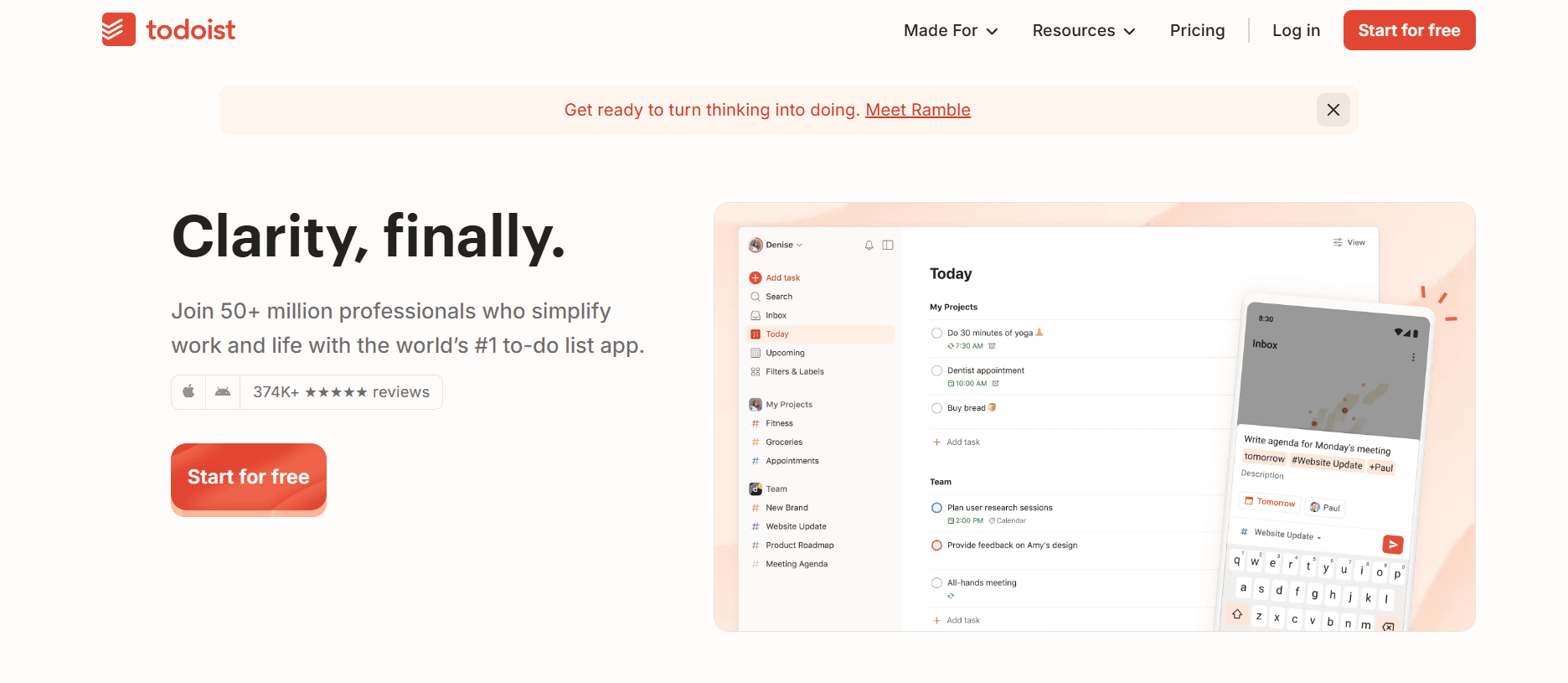
Todoist’s most powerful tool is its Natural Language Processing (NLP). Unlike other apps where you have to click through calendars and dropdowns, Todoist allows you to type as you speak.
- Example: Typing “Submit tax report every 1st of the month at 9am #Finance p1” instantly creates a recurring task, assigns it to the “Finance” project, and sets it to the highest priority. This feature alone saves hours of administrative friction over a year.
2. Advanced Project Organization in 2026
Organization in Todoist is hierarchical, allowing for both simple lists and complex project architectures.
Projects and Sub-projects
You can create main categories (e.g., Work, Personal, Health) and nest sub-projects within them. For instance, under “Work,” you might have “Marketing Campaign,” “Client Meetings,” and “Admin.” This keeps your sidebar clean while allowing for infinite depth.
Sections and Kanban Boards
Within each project, you can create Sections. In the 2026 version, the transition between “List View” and “Board View” (Kanban) is instantaneous.
- List View: Best for quick daily tasks.
- Board View: Ideal for visual workflows where tasks move from “To Do” to “In Progress” and “Completed.”
3. The Power of Labels and Filters
This is where Todoist separates the amateurs from the pros.
Contextual Labels
Labels (using the @ symbol) allow you to add “context” to a task regardless of which project it belongs to.
@15min: For quick tasks when you have a small gap in your schedule.@Calls: For all your phone calls across different projects.@DeepWork: For high-focus tasks that require no distractions.
Custom Filters
Filters allow you to create custom “views” of your data using queries. You can create a filter for “Priority 1 tasks due in the next 3 days that are labeled @Work.” This allows you to cut through the noise and see exactly what matters now.
4. New in 2026: The AI Productivity Suite
The 2026 update has introduced Todoist AI, a native integration that acts as a personal coach.
AI Task Breaker
If you enter a daunting task like “Launch a new website,” the AI can automatically suggest a breakdown of 10-15 sub-tasks, from “Buy domain” to “Final SEO check.” This removes the “paralysis of choice” that often leads to procrastination.
Smart Schedule
The AI analyzes your completion patterns. If it notices you usually finish admin tasks on Tuesday mornings, it will suggest rescheduling overdue admin tasks to that specific slot.
5. Gamification: Todoist Karma
One of the most unique aspects of Todoist is Karma. By completing tasks on time and using advanced features (like labels and filters), you earn Karma points.
- Levels: You progress from “Beginner” to “Enlightened.”
- Daily/Weekly Goals: You can set a goal to finish 5 tasks a day. Seeing your “streak” grow creates a psychological incentive to stay organized.
6. Seamless Ecosystem Integration
Todoist lives everywhere. For a tech blog like milioudis.com, it’s important to highlight the technical versatility:
- Email: Turn emails into tasks via Gmail or Outlook extensions.
- Calendar: Two-way sync with Google Calendar and Apple Calendar.
- Voice: Add tasks via Siri, Alexa, or Google Assistant.
- Browser: Quick-add extensions for Chrome, Firefox, and Safari.
7. Todoist for Teams: Collaboration Reimagined
In 2026, the Team Workspace has become a serious competitor to tools like Asana and Monday.com.
- Centralized Billing: One account for the whole company.
- Activity Logs: See exactly who changed what and when.
- Role Management: Assign “Admin,” “Member,” or “Guest” status to collaborators.
8. Where and How to Download (2026 Official Sources)
To ensure security and access to the latest AI features, always use official links:
- Official Web Hub: todoist.com
- Desktop Apps: Optimized for Windows 11 and macOS (Silicon native).
- Mobile Apps: Available on iOS App Store and Google Play.
- Linux: Supported via Snap or Flatpak for the open-source community.
9. Pricing: Free vs. Pro vs. Business
While the Free version is generous, the Pro version is essential for power users as it unlocks:
- Up to 300 projects.
- Reminders (Push, Email, Desktop).
- Unlimited Activity History.
- Themes and automatic backups
10. Final Verdict: Is Todoist the Best?
After testing dozens of productivity tools, Todoist remains the most consistent. Its 2026 AI updates have made it more than just a list—it is now a proactive partner in your success. For anyone looking to organize their life, it is the first app I recommend.