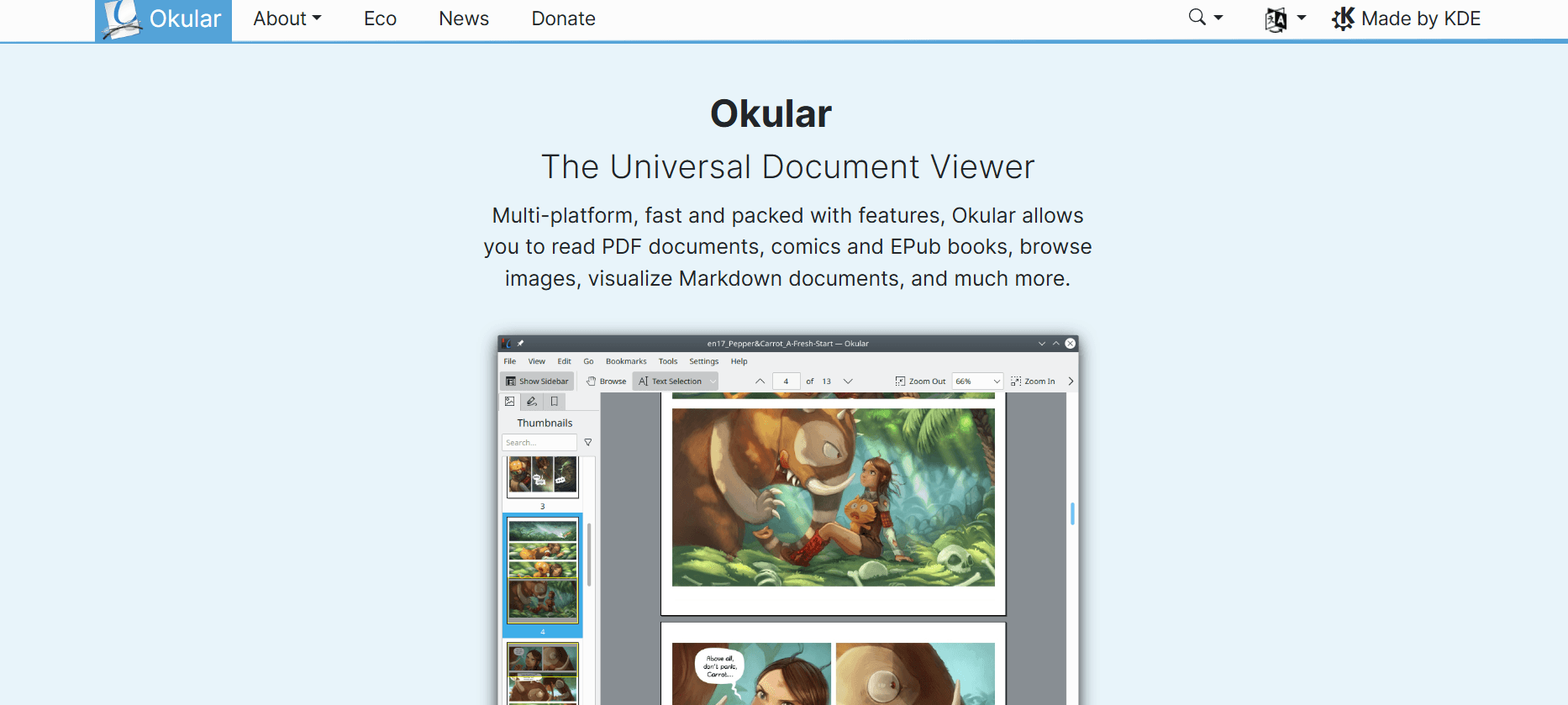
In an era where digital documents are the backbone of communication, having a reliable viewer is non-negotiable. While most users settle for basic browser-based readers or expensive subscriptions, power users turn to Okular. Developed by the KDE community, Okular is a multi-platform, free, and open-source (FOSS) universal document viewer that redefines productivity.
Whether you are a student highlighting textbooks, a lawyer verifying digital signatures, or a developer reading Markdown files, Okular provides a seamless, lightning-fast experience. In this 2026 review, we explore why this software has become the gold standard for document management.
1. What Makes Okular “Universal”?
Most competitors focus solely on the PDF format. Okular’s philosophy is different: it aims to open everything. Its “Universal” nature means it supports an incredible array of formats, including:
- Document Formats: PDF, Postscript, DjVu, and XPS.
- E-book Formats: ePub, MOBI, FB2, and CHM.
- Graphic Formats: TIFF, PNG, JPEG, and WebP.
- Specialized Formats: Comic Book (CBZ, CBR) and Markdown (MD).
By consolidating these into a single application, Okular eliminates the need to install five different programs for five different file types.
2. New Features in the Latest 2026 Release
The 2026 update of Okular focuses on performance optimization and advanced security.
High-Speed Rendering Engine
The latest version introduces a “Tiled Rendering” approach. When scrolling through a 1,000-page technical manual filled with high-resolution diagrams, Okular pre-renders upcoming pages in the background. The result is a stutter-free experience that outperforms even the most expensive commercial alternatives.
Professional Digital Signatures
In 2026, document authenticity is paramount. Okular has revamped its digital signature module. Users can now easily manage certificates, sign PDFs with legally binding digital IDs, and verify the integrity of received documents with a single click in the sidebar.
Advanced Annotation Toolkit
Okular turns static documents into interactive workspaces. The annotation tools now include:
- Inline & Pop-up Notes: For detailed feedback.
- Dynamic Highlighting: With custom color coding for organized study.
- Geometric Shapes: Arrows, lines, and polygons for technical reviews.
- Freehand Ink: Fully optimized for 2-in-1 laptops and stylus input.
3. Why Professionals Choose Okular (Key Benefits)
Privacy and Data Sovereignty
Unlike many modern “Cloud Readers,” Okular is offline-first. It does not track your reading habits, it does not require an account, and it never uploads your sensitive documents to a third-party server. Your data stays on your machine.
The “Trim Margins” Feature
This is a game-changer for mobile and small-screen users. Okular can automatically detect and “crop” the white margins of a page. This magnifies the actual text, making it much easier to read without constant zooming and panning.
Accessibility and “Speak” Mode
Okular is built with inclusivity in mind. It integrates perfectly with system speech synthesizers, allowing the software to read documents aloud to users with visual impairments or those who prefer auditory learning.
4. Technical Guide: How and Where to Download
To ensure you are running the official, secure version of Okular, always use these verified sources:
- Official Website: okular.kde.org
- Windows Users: Okular is available as a standalone installer or through the Microsoft Store.
- macOS Users: Can be installed via Homebrew or the KDE binary factory.
- Linux Users: While pre-installed on many KDE-based distros, the Flatpak version from Flathub is the best way to ensure you always have the absolute latest 2026 build.
5. Conclusion: The King of Productivity Tools
Okular is not just a tool; it is a statement for the open-source community. It proves that a free software can be more powerful, more secure, and more versatile than its paid counterparts. For the readers of milioudis.com, Okular is a highly recommended addition to any digital workflow.