In the rapidly evolving software landscape of 2026, where modern editors like VS Code and AI-driven IDEs consume gigabytes of RAM, one program stands as a testament to efficiency, speed, and raw power: Notepad++.
As of March 2026, with the release of Version 8.9.x, Notepad++ has maintained its crown as the essential tool for developers, sysadmins, and power users. At Milioudis Technology And Software News, we believe that “simplicity is the ultimate sophistication.” Here is why Notepad++ is still the first program you should install on any Windows machine.
1. What is Notepad++? (The Performance King)
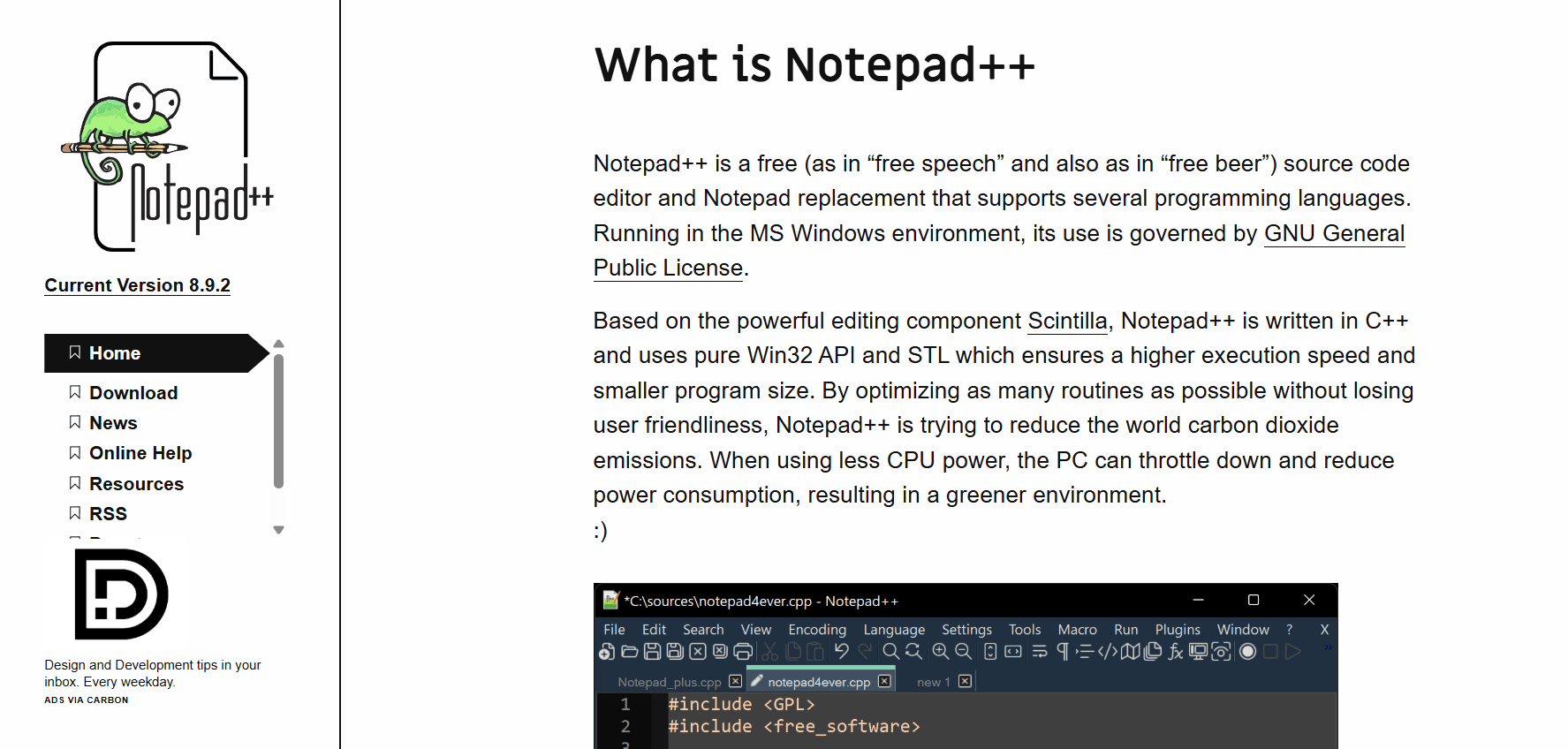
Notepad++ is a free, open-source source code editor and Notepad replacement that supports several languages. Running in the MS Windows environment, its use is governed by the GNU General Public License.
Based on the powerful editing component Scintilla, Notepad++ is written in C++ and uses pure Win32 API and STL which ensures a higher execution speed and smaller program size. While other editors are built on “Electron” (which is essentially a heavy web browser running an app), Notepad++ is “native,” meaning it talks directly to your hardware.
2. Revolutionary Features in the 2026 Update (v8.9+)
The 2026 updates have brought Notepad++ into the modern era without losing its signature lightning-fast startup time.
A. Full ARM64 Native Optimization
With the rise of ARM-based Windows laptops (like the latest Surface and Snapdragon-powered devices) in 2026, Notepad++ has been fully optimized for ARM64 architecture. It now runs with zero emulation, providing the best battery efficiency of any editor on the market.
B. Dark Mode 3.0 & Fluent Design
Notepad++ has finally perfected its UI. The 2026 version features a refined Dark Mode that integrates seamlessly with Windows 11 and 12 aesthetics. Icons are cleaner, and the “Mica” effect has been added to the title bar, giving it a premium, modern feel while keeping the classic layout users love.
C. Large File Handling (The 10GB Breakthrough)
One of the biggest updates in the 2026 build is the improved Big File Threshold. Using new asynchronous loading techniques, Notepad++ can now open log files as large as 10GB without freezing the UI, making it the #1 tool for server administrators analyzing massive data logs.
D. Enhanced Ghost Typing & Auto-Completion
The auto-completion engine has been upgraded to support the latest 2026 syntax for Python 3.14, C++26, and Rust. It provides “ghost suggestions” that help you code faster without the need for a heavy AI plugin.
3. Core Capabilities for Power Users
Syntax Highlighting and Folding
Notepad++ supports over 80 programming languages out of the box. Whether you are writing HTML, CSS, JavaScript, PHP, or obscure configuration files, the syntax highlighting makes the code readable and easy to navigate.
Search and Replace (The Regex Powerhouse)
This is where milioudis.com power users find the most value. Notepad++ features a world-class “Find in Files” system.
- Regular Expressions (RegEx): You can search and replace complex patterns across thousands of files in seconds.
- Mark/Bookmark: Automatically highlight every instance of a specific word across a 50,000-line document.
Macro Recording
If you have a repetitive task (like cleaning up a messy CSV file), you can “Record” your keystrokes and “Play” them back 1,000 times. This turns hours of manual labor into seconds of automated precision.
4. The Plugin Ecosystem: Tailoring Your Tool
Notepad++ is famous for its Plugin Admin. In 2026, the community has released incredible tools:
- Compare Plus: Compare two files side-by-side to see the exact differences in code.
- NppFTP: Edit files directly on your web server via SFTP without leaving the editor.
- XML Tools: The best way to format and “prettify” messy XML or JSON data.
- Markdown Viewer: Preview your Markdown files (like this guide!) in real-time.
5. Why Choose Notepad++ in 2026?
- Speed: It opens in less than 0.5 seconds, even on older hardware.
- Zero Bloat: The installer is less than 5MB. It doesn’t track you, it doesn’t have ads, and it doesn’t require an account.
- Stability: It is arguably the most stable software ever written for Windows. Even if your computer crashes, the “Session Snapshot” feature usually recovers your unsaved work.
- Portability: You can run it from a USB stick without installation.
6. System Requirements for 2026
- OS: Windows 7, 8.1, 10, or 11/12 (32-bit, 64-bit, and ARM64).
- RAM: 128MB (Yes, it’s that light!).
- Storage: 20MB of free space.
7. How and Where to Download (Official Sources)
Margaritis Milioudis Warning: Notepad++ is so popular that many “fake” sites try to offer it bundled with malware. Never download Notepad++ from anywhere other than the official project site.
Official Download Portal:
Which version to pick?
- Installer x64: The standard version for 99% of modern PCs.
- Portable (Zip): Best for carrying on a thumb drive.
- ARM64: Specifically for the new generation of ultra-thin, battery-efficient laptops.
8. Notepad++ vs. VS Code vs. Sublime Text (2026)
| Feature | Notepad++ | VS Code | Sublime Text |
| Startup Speed | Instant (Best) | Slow | Fast |
| RAM Usage | Very Low (<50MB) | Very High (500MB+) | Moderate |
| Price | Free (GPL) | Free (Telemetry) | $99 (Paid) |
| Ease of Use | Simple/Classic | Complex/Modern | Modern/Minimal |
| Extensibility | High (Plugins) | Extreme (Market) | High (Packages) |
9. Pro Tips for the milioudis.com Community
- Multi-Editing: Hold
Ctrlwhile clicking to place multiple cursors. You can type in five places at once! - Column Mode: Hold
Alt + Mouse Dragto select a vertical box of text. Perfect for editing lists and tables. - Global Search: Press
Ctrl + Shift + Fto find a specific string of text inside every single file in a folder. - Style Configurator: Go to Settings > Style Configurator to change the font to “Consolas” or “Cascadia Code” for a much better coding experience.
10. Final Verdict
Notepad++ 2026 is the “Swiss Army Knife” of the digital world. It is a program that respects your hardware, respects your time, and respects your privacy. Whether you are a hardcore programmer or just someone who needs to take a quick note, Notepad++ is the reliable, no-nonsense choice.
At Milioudis Technology And Software News, we give Notepad++ a 10/10 rating. It is a masterpiece of software engineering that every user should have in their toolkit.
Pros:
- Incredibly fast and lightweight.
- Powerful Search & Replace with RegEx.
- Massive plugin library.
- Completely free and open-source.
Cons:
- Windows only (no native Mac/Linux versions).
- UI might feel “dated” to those used to web-style apps.