In the digital landscape of 2026, information is no longer scarce—it is overwhelming. From Teams meeting transcripts and endless email chains to personal research and creative sparks, the challenge is no longer how to store data, but how to organize it into actionable knowledge. Microsoft OneNote remains the definitive answer to this challenge, standing as a pillar of global productivity.
At Milioudis Technology And Software News, we have benchmarked the latest 2026 build of OneNote. Here is why it remains the “King of Organization,” even in the face of stiff competition from modern rivals like Notion and Obsidian.
1. What is Microsoft OneNote? (The Canvas Philosophy)
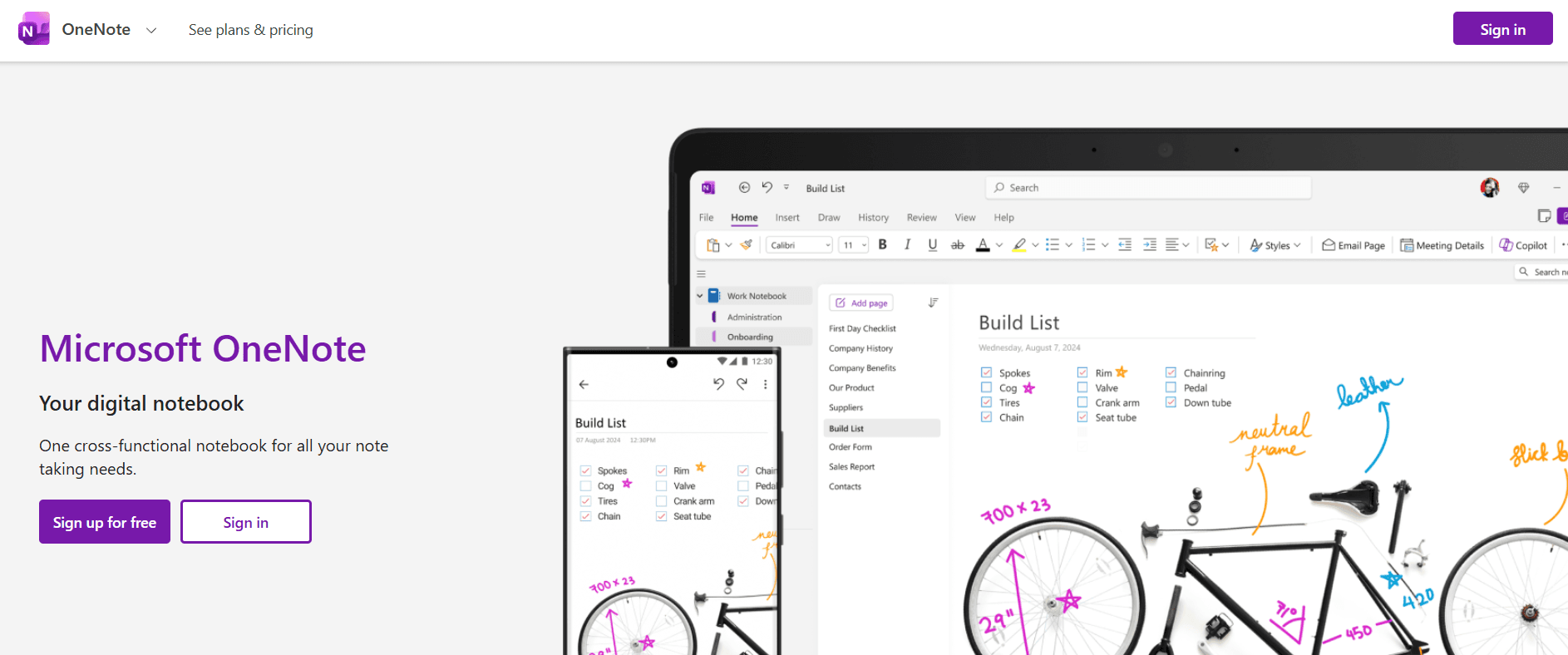
OneNote is not a traditional word processor like Microsoft Word. It is a Digital Notebook designed with a “free-form canvas” logic. You can click anywhere on a page and start typing, drawing, or pasting images. There are no margins to restrict your creativity.
The organizational structure mimics a physical office binder:
- Notebooks: The outer binders for major projects (e.g., “Work,” “Home,” “University”).
- Sections: Colored tabs that divide your notebooks into categories.
- Pages: The individual sheets where the content lives.
- Sub-pages: For even deeper hierarchical organization.
2. Revolutionary Features in the 2026 Update
Microsoft has officially unified its apps (OneNote for Windows 10 and OneNote Desktop) into a single, powerhouse application. The 2026 release introduces:
A. Microsoft Copilot: Your AI Research Partner
In 2026, Copilot is no longer just a chat box; it is deeply woven into the fabric of OneNote. It doesn’t just write text—it “understands” your notes:
- Intelligent Summarization: It can read an entire section of meeting minutes and generate a concise list of action items and deadlines.
- Tone Transformation: It can take your messy, bulleted brainstorm and rewrite it into a professional proposal.
- Concept Mapping: Ask Copilot to “connect my notes on AI with my notes on Cybersecurity,” and it will create a new page showing the overlapping themes and risks.
B. Fluid Ink & AI Handwriting Recognition
For Surface, iPad, and tablet users, OneNote 2026 offers the most natural writing experience yet. The Fluid Ink technology reduces latency to zero, while the AI engine converts even the messiest handwriting into digital text with 99% accuracy. It can even solve handwritten math equations instantly.
C. Real-Time Collaboration 2.0
Collaboration on shared notebooks is now instantaneous. With the new Presence Engine, you can see exactly where a teammate is typing or drawing in real-time with zero sync lag—a massive improvement over previous versions.
3. Power User Capabilities
The OneNote Web Clipper
This is perhaps the best tool for digital research. The browser extension allows you to “clip” entire web pages, images, or simplified text directly into your notebooks. It automatically strips away ads and keeps only the core content and the source URL.
Math Assistant & Solver
A dream for students. Write or type an equation (e.g.,
$$x^2 + 5x + 6 = 0$$
), and OneNote will solve it, show the step-by-step solution, and even generate a practice quiz based on that specific math concept.
Outlook & To Do Integration
OneNote is a core part of the Microsoft family. You can send emails to OneNote with a single click or highlight a sentence in your notes and turn it into an Outlook Task. It will automatically appear in your Microsoft To Do app and your calendar.
4. Why Choose OneNote in 2026?
- Entirely Free: While it is part of Office, the base version of OneNote is free for anyone with a Microsoft Account.
- Infinite Storage: There are no limits on the number of notes you can create (limited only by your OneDrive storage).
- Cross-Platform Harmony: It syncs flawlessly across Windows, Mac, iOS, Android, and the Web.
- Audio Syncing: You can record a lecture while taking notes. OneNote “remembers” what you were typing at the exact moment a specific word was spoken in the audio recording!
5. 2026 System Requirements
- Windows: Windows 10 or 11 (64-bit).
- macOS: macOS 12.0 or newer (Native M4 chip support).
- Mobile: Android 11+ or iOS 15+.
- Storage: 2GB for installation (plus OneDrive space for notes).
6. How and Where to Download (Official Sources)
Margaritis Milioudis advises: Avoid “repackaged” versions from third-party sites. Always go to the official source to ensure you get the latest security updates and AI features.
Official Download Portal:
Visit:www.onenote.com/download
Installation Notes:
- For Windows: It is usually pre-installed with Windows 11. If not, download it from the Microsoft Store.
- For Mac: Available via the Mac App Store.
- Web Version: You can access your notes from any browser at onenote.com.
7. OneNote vs. Notion vs. Evernote (2026 Comparison)
| Feature | Microsoft OneNote | Notion | Evernote |
| Price | Free | Freemium | Expensive Subscription |
| Organization | Notebook/Tabs | Database/Pages | Folders/Tags |
| Offline Use | Excellent | Limited | Good |
| Handwriting | Best-in-class | Poor | Average |
| AI Integration | Microsoft Copilot | Notion AI | Evernote AI |
8. Pro Tips for the milioudis.com Community
- The “Pin to Desktop” Mode: Use
Ctrl + Alt + Dto dock OneNote to the side of your screen. This allows you to take notes while watching a video or reading a PDF without switching windows. - Password Protection: Right-click any Section to add a password. This is essential for storing sensitive information like travel documents or personal journals.
- Search Everything: OneNote can search for text inside images (OCR). If you take a photo of a business card, you can find the name months later just by searching.
- Internal Linking: Right-click a page and select “Copy Link to Page.” Paste it elsewhere to create your own “Wiki” of interconnected ideas.
9. Troubleshooting Common Issues
- “Sync Errors”: Usually solved by signing out and back into your Microsoft Account. Ensure you have the latest update from the Microsoft Store.
- “Search Not Working”: This happens when the index is rebuilding. Give it a few minutes if you have just imported thousands of notes.
- “Copilot Missing”: Ensure you have a Microsoft 365 Personal or Family subscription and that your region supports AI features.
10. Final Verdict
Microsoft OneNote 2026 is more than a note-taking app; it is a sophisticated system for managing your life. It combines the simplicity of paper with the power of 2026 Artificial Intelligence. For the milioudis.com audience, it remains our #1 recommendation for students, professionals, and anyone looking for a reliable, free, and powerful way to organize their digital world.
Pros:
- Truly free with professional features.
- Unmatched handwriting and “ink” support.
- Deeply integrated into the Microsoft ecosystem.
- Local and Cloud storage options.
Cons:
- Can feel “heavy” compared to simple Markdown editors.
- Formatting can sometimes be inconsistent when copying to other apps.