In the productivity landscape of 2026, where data privacy has become the ultimate luxury, Joplin stands as a fortress of digital sovereignty. While competitors like Notion and Evernote have moved toward mandatory cloud lock-ins and subscription-heavy models, Joplin has remained true to its roots: Open-source, End-to-End Encrypted (E2EE), and entirely under the user’s control.
As of March 2026, with the release of Version 3.2, Joplin has evolved from a simple Markdown editor into a professional-grade knowledge management system. At Milioudis Technology And Software News, we have benchmarked the latest 2026 build against the industry’s giants. Here is why Joplin is the only note-taking app you will ever need.
1. What is Joplin? (The Privacy Champion)
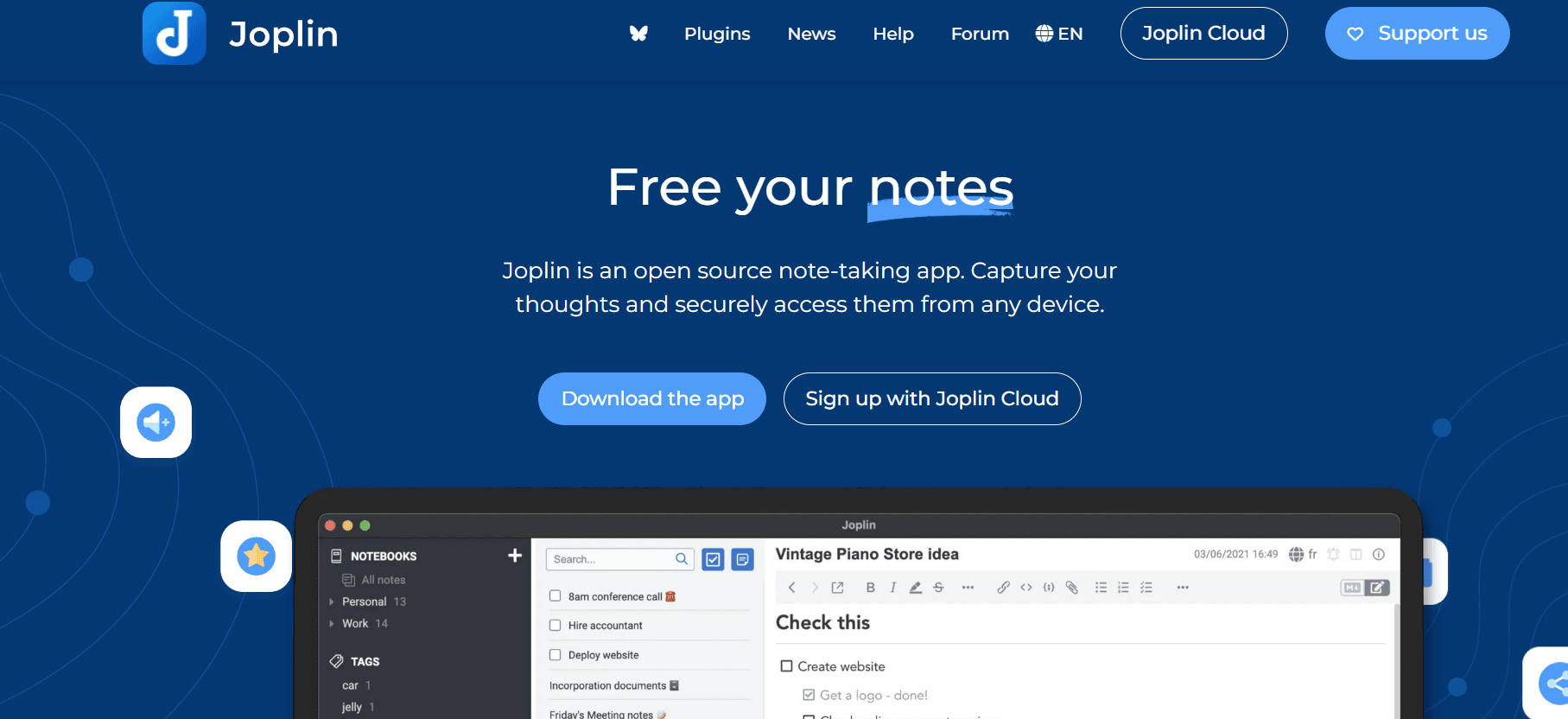
Joplin is a free, open-source note-taking and to-do application that can handle a massive number of notes organized into notebooks. The notes are searchable, can be copied, tagged, and modified either from the applications directly or from your own favorite text editor.
The “Joplin Philosophy” is simple: Your notes are your business. Unlike cloud-first apps, Joplin stores your data locally on your device. When you choose to sync your notes across devices, Joplin uses End-to-End Encryption, meaning not even the sync provider (Dropbox, OneDrive, or Joplin Cloud) can read your data.
2. Revolutionary Features in the 2026 Update (v3.2)
The 2026 release focuses on Real-Time Collaboration and AI-Assisted Organization without compromising privacy.
A. The “Local-First” AI Assistant
Joplin 3.2 introduces an Opt-in AI Plugin that runs locally on your machine (using Llama 3 or Mistral models). It can:
- Auto-Tagging: Automatically suggest tags based on the content of your note.
- Semantic Search: Find notes based on meaning, not just exact keywords.
- Smart Summarization: Generate a 3-sentence summary of long research papers or meeting notes.
- Privacy Guard: Because the AI runs on your hardware, your sensitive data never leaves your computer.
B. Enhanced PDF Annotation
In the 2026 version, Joplin’s PDF handling has been completely overhauled. You can now highlight, comment, and draw directly on PDFs embedded within your notes. These annotations are searchable within the Joplin global search bar, making it a powerhouse for students and researchers.
C. The New “Visual” (WYSIWYG) Editor 2.0
While Joplin started as a Markdown-only editor, the 2026 update features a refined “What You See Is What You Get” editor. It feels as smooth as Microsoft Word but maintains the clean structure of Markdown in the background. Switching between the code view and the visual view is now instantaneous.
D. Multi-Device Sync Speed (Turbo Sync)
The sync engine has been optimized for 2026 high-speed networks. Even if you have 10,000+ notes with images and attachments, the new Delta-Sync algorithm only uploads the specific characters you changed, reducing sync time by up to 80%.
3. Core Capabilities for Power Users
A. Markdown Mastery
For those who love structured writing, Joplin remains the king of Markdown. It supports:
- Mathematical Formulas: Using $LaTeX$ (e.g.,$$E = mc^2$$).
- Chemical Equations: Perfect for science students.
- Mermaid Diagrams: Create flowcharts and Gantt charts using simple text code.
B. The Web Clipper
One of the most praised features at milioudis.com is the Joplin Web Clipper (available for Chrome, Firefox, and Edge). It allows you to “screenshot” entire web pages or just the simplified text and save them directly into your notebooks. It is the best tool for digital archiving in 2026.
C. Plugin Ecosystem
Joplin features a massive community-driven plugin marketplace. You can add:
- Calendars: Link your notes to specific dates.
- Kanban Boards: Turn any notebook into a project management board.
- Backlinks: See a “Graph View” of how your notes connect to each other (similar to Obsidian).
4. Why It’s the Best Choice for 2026
- No Subscription Fatigue: The app is free. You only pay if you choose to use the official “Joplin Cloud” for syncing, but you can easily use free services like OneDrive or Dropbox.
- Longevity: Because Joplin uses open formats (Markdown and SQLite), your notes will be readable 20 years from now, even if the app stops being updated.
- Cross-Platform Harmony: It works identically on Windows, macOS, Linux, Android, and iOS.
5. System Requirements for 2026
- Windows: Windows 10 or 11 (64-bit).
- macOS: macOS 11.0 or newer (Native support for M1/M2/M3/M4 chips).
- Linux: Any modern distro (AppImage, Snap, and Flatpak supported).
- RAM: 2GB minimum (4GB recommended for AI features).
6. How and Where to Download (Official Sources)
Margaritis Milioudis warns: Always download from the official repository. Third-party sites often bundle older versions or unauthorized “addons.”
Official Download Portal:
Visit:joplinapp.org/download
Installation Steps:
- Desktop: Download the
.exe(Windows) or.dmg(Mac). - Portable: Joplin offers a Portable.exe for Windows—perfect for carrying your entire knowledge base on a encrypted USB drive.
- Mobile: Search for “Joplin” on the Google Play Store or Apple App Store.
- Sync Setup: After installation, go to Tools > Options > Sync to connect your preferred cloud provider.
7. Joplin vs. Notion vs. Obsidian (2026)
| Feature | Joplin | Notion | Obsidian |
| Privacy | High (E2EE) | Low (Cloud-based) | High (Local-only) |
| Price | Free | Subscription for Teams | Free (Paid Sync) |
| Offline Support | Native | Poor | Native |
| Collaboration | Good (Cloud/Server) | Excellent | Limited |
| Mobile App | Full-featured | Full-featured | Full-featured |
8. Pro Tips for the milioudis.com Community
- Master the Search: Use
title: "keyword"to search only in titles, or/keywordto find text within a specific note. - External Editing: If you prefer a different editor (like VS Code), you can click the “External Editor” button in Joplin, and it will open your note in your preferred software while syncing changes in real-time.
- Note Linking: Press
Ctrl + Lto quickly link one note to another. This is the key to building a “Second Brain.” - Custom CSS: For the tech-savvy, Joplin allows you to inject custom CSS to change every single color, font, and icon in the app.
9. Troubleshooting Common Issues
- “Sync Errors”: Usually caused by a clock mismatch between devices. Ensure “Set time automatically” is enabled on all your computers and phones.
- “Images not appearing”: Check if you have enough space on your sync provider. If your Dropbox is full, Joplin cannot upload new attachments.
- “Slow Performance”: If you have over 20,000 notes, go to Settings > Appearance and disable “Show note count” to speed up the interface.
10. Final Verdict
Joplin 2026 is the ultimate tool for the modern digital citizen. It balances the “Old Web” values of privacy and ownership with “New Web” features like AI and seamless cloud syncing. For the milioudis.com audience, it is the #1 recommendation for anyone who wants to take their thoughts and data back into their own hands.
Pros:
- Total privacy with End-to-End Encryption.
- Powerful Markdown and $LaTeX$ support.
- 100% Free and Open Source.
- Massive plugin library.
Cons:
- Initial sync setup can be technical for beginners.
- The interface is functional rather than “flashy.”