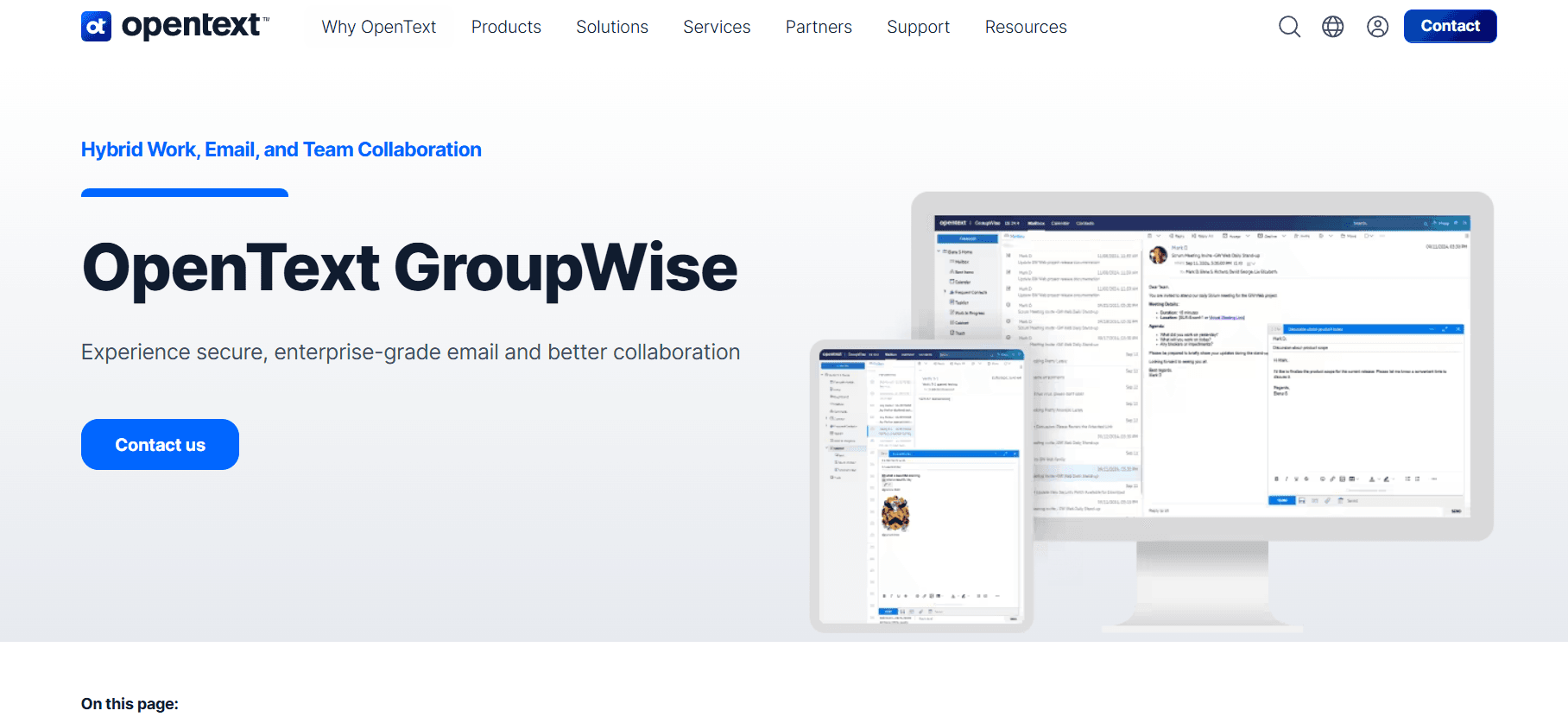
OpenText GroupWise (formerly known as Novell GroupWise and Micro Focus GroupWise) is an enterprise-grade collaboration, email, and productivity platform. Unlike modern cloud-only chat applications, GroupWise is a robust, highly secure, and deeply integrated suite designed for organizations that require absolute control over their communication infrastructure.
For decades, GroupWise has been the go-to communication hub for government agencies, healthcare providers, financial institutions, and education sectors that prioritize data sovereignty, compliance, and military-grade security.
1. What is OpenText GroupWise?
OpenText GroupWise is a complete collaboration software suite that goes far beyond simple email. It integrates email, calendaring, contact management, task management, personal information management, and document management into a single, cohesive platform.
While platforms like Microsoft 365 or Google Workspace dominate the consumer and general business markets, GroupWise is built for organizations that prefer to host their own servers (on-premises) or utilize highly secure private clouds. It provides a secure alternative to the public cloud, keeping sensitive data entirely under the organization’s control.
2. Key Features and Functionality
A. Advanced Email and Personal Information Management (PIM)
GroupWise features a highly sophisticated email client designed for heavy administrative workloads:
- Message Tracking: You can retract sent emails (if the recipient hasn’t read them yet) and see exactly when an email was opened, forwarded, or deleted.
- Cabinet and Folders: A highly structured filing system that allows users to organize emails, phone messages, tasks, and appointments into unified folders.
- Proxy Capabilities: Administrators or assistants can be granted secure “proxy” access to manage an executive’s mailbox, calendar, and tasks without sharing passwords.
B. Enterprise Calendaring and Scheduling
The GroupWise calendar is one of the most reliable in the industry:
- Busy Search: Automatically scans the calendars of all invited participants to find the perfect meeting time, eliminating back-and-forth emails.
- Resource Management: Easily book physical meeting rooms, company vehicles, projectors, or other corporate assets alongside your meeting invitations.
- Multi-Calendar Views: View personal, team, and company-wide calendars side-by-side or overlaid in a single view.
C. Secure Instant Messaging (GroupWise Messenger)
Included in the suite is GroupWise Messenger, a secure, presence-enabled instant messaging tool:
- Corporate-Only Chat: Keeps all internal chat logs encrypted and archived on company-owned servers.
- Broadcasts: Administrators can send mass notifications or alerts to all active users instantly.
D. Deep Integration with OpenText Filr and TeamWorks
GroupWise works hand-in-hand with OpenText’s broader ecosystem:
- Filr Integration: Share heavy files securely via access links instead of clogging email inboxes with large attachments.
- TeamWorks: Adds modern team-based collaboration, allowing users to create project spaces, social feeds, and threaded discussions.
3. Unrivaled Security and Administration
The primary reason organizations remain loyal to GroupWise is its unparalleled security architecture:
- On-Premises Sovereignty: You decide exactly where your data physically resides, making compliance with strict regional laws (like GDPR or HIPAA) simple.
- End-to-End Security: Native encryption protects data in transit and at rest, coupled with robust anti-spam and anti-malware engines.
- Low Maintenance: GroupWise servers are historically famous for their stability, requiring minimal IT overhead and boasting near-zero downtime compared to other local email servers.
4. Why Choose OpenText GroupWise?
- Total Data Ownership: Perfect for industries that cannot legally or structurally host sensitive data on public clouds.
- Unmatched Stability: Built on decades of proven server technology that simply doesn’t crash.
- Advanced Mail Control: Features like message retraction and tracking give users ultimate control over their outbound correspondence.
- Flexible Deployment: Can be deployed on-premises, in a private cloud, or as a hybrid solution.
5. Pros and Cons
| Pros | Cons |
| Absolute data privacy and sovereignty. | Steeper learning curve for users accustomed to simple webmails. |
| Legendary server stability and low IT maintenance. | Interface can feel traditional compared to modern web-first apps. |
| Powerful proxy features for executive assistants. | Smaller third-party app ecosystem than Microsoft or Google. |
| Extremely robust security and message tracking. |
6. Where to Download OpenText GroupWise
Because OpenText GroupWise is a commercial enterprise solution, the software is typically distributed directly to IT departments through licensing portals. However, you can access downloads and evaluations through official channels.
1. For Administrators (Server & Client Software)
- Official Portal: Navigate to opentext.com/products/groupwise
- Downloads: Registered customers with an active maintenance contract can download the GroupWise Server, Administration Console, and Desktop Client directly from the OpenText Support Portal (My Support).
- Trial/Evaluation: If you are looking to test the software, you can request an evaluation license directly from the OpenText sales team on their website.
2. For Desktop Clients
The GroupWise Client is available for:
- Windows: Downloadable via your organization’s internal IT portal or the OpenText Customer Portal.
- Mac/Linux: Users on non-Windows platforms typically connect securely using the GroupWise Web client via any modern web browser.
3. For Mobile Devices
To access your GroupWise email, calendar, and contacts on the go, the system utilizes GroupWise Mobility Service, which syncs natively with:
- iOS (iPhone/iPad): Syncs directly with the native iOS Mail and Calendar apps using Exchange ActiveSync.
- Android: Syncs natively with Gmail, Samsung Mail, or any standard mail client.
Summary
OpenText GroupWise remains a powerful titan in the enterprise collaboration space. It is designed for organizations that refuse to compromise on security, reliability, and data control. By offering a complete suite of communication tools hosted on your own terms, GroupWise ensures your business operations remain private, compliant, and always online.
Final Tip: If you are new to GroupWise, make sure to explore the Find tool. Its indexing engine is incredibly fast, allowing you to search through decades of emails in a fraction of a second!