In the modern digital landscape, keeping your software updated is no longer just about getting new features—it is a critical security requirement. Outdated software is one of the most common entry points for hackers, as cybercriminals exploit known vulnerabilities in old versions of browsers, media players, and system tools.
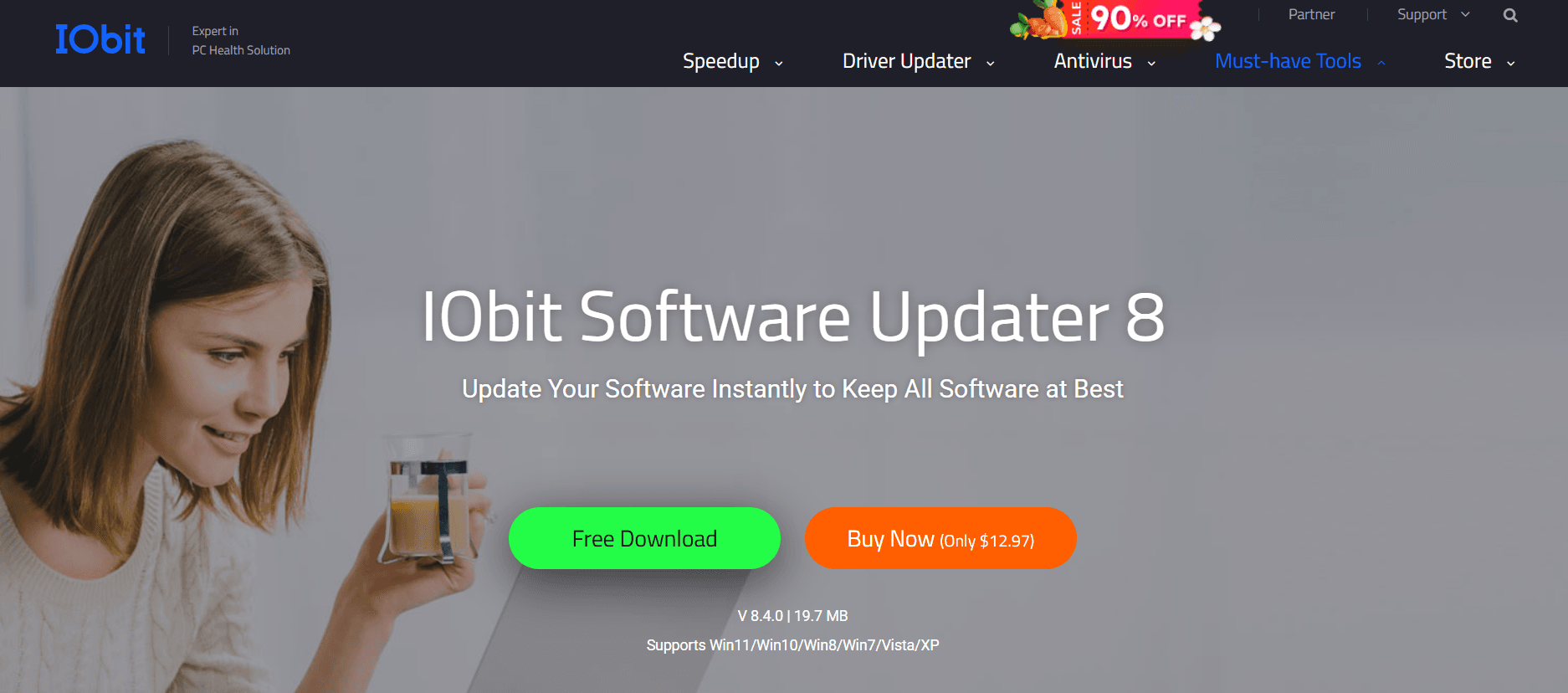
At Milioudis Technology And Software News, we have consistently recommended automated solutions to simplify this tedious task. In early 2026, IObit Software Updater 8.3 has emerged as the most reliable, lightweight, and user-friendly tool for the job. In this comprehensive review, we dive into the latest version and explain why every Windows user needs this utility.
1. What’s New in IObit Software Updater 8.3 (2026 Edition)?
The 2026 release brings more than just a refreshed interface. It introduces an expanded database and smarter algorithms designed for the next generation of Windows software.
A. 30% Larger Software Database
The database has been expanded significantly to support over 1,000 popular programs. Whether you are looking to update creative suites like CapCut and Canva, or essential security tools like AVG and Malware Fighter, IObit Software Updater 8.3 covers them all. It now also includes extensive support for the latest AI productivity tools, such as ChatGPT desktop wrappers and AI-enhanced media editors.
B. Accelerated Update Algorithms
Time is money. The 2026 version features an optimized update algorithm that is 150% faster than previous iterations. The software now detects available updates in seconds and begins the download process immediately, ensuring that your system maintenance doesn’t interfere with your work or gaming sessions.
C. AI Hub Integration
One of the most innovative additions in the v8.x series is the AI Hub. This is a centralized dashboard where you can find and install the most highly-rated AI tools for work, design, and coding. Instead of searching the web for reliable AI installers, IObit brings them directly to your desktop.
2. Core Features: One-Click Simplicity
The philosophy behind IObit Software Updater remains “one-click” convenience.
- Silent Updates: You can set the program to update your software silently in the background. It will automatically download and install the latest versions without showing any pop-ups or disturbing your current tasks.
- Scheduled Tasks: You can schedule the software to check for updates at specific times—for example, at 3:00 AM—and even set it to automatically reboot your PC once the updates are finished.
- Safe Installation: Every update provided by IObit has passed a rigorous manual security test. This guarantees that the installer is free from adware, malware, and hidden bundleware, a common risk when downloading updates manually from third-party sites.
- Automatic Restore Points: For added safety, the software creates a system restore point before every installation. If an update causes an issue with your system, you can revert it with a single click.
3. Why It Is Essential for 2026
As software becomes more interconnected, the “ripple effect” of a single unpatched app is more dangerous than ever.
- Closing Security Holes: Most updates are released to patch security vulnerabilities. By using IObit Software Updater, you are effectively closing the “backdoors” to your PC.
- Optimizing Performance: Developers often optimize their code in new versions to use less RAM and CPU. Keeping your apps updated ensures your PC remains fast and responsive.
- New Feature Access: Don’t miss out on the latest tools. For example, if you use VLC or PhotoScape, the newest versions often include hardware acceleration support for 2026 graphics cards.
4. Free vs. Pro: Is the Upgrade Worth It?
IObit Software Updater is available in both a Free and a Pro version.
| Feature | Free Version | Pro Version ($12.97/yr) |
| 1-Click Updates | Yes (2 per day) | Unlimited |
| Silent Updates | No | Yes |
| Auto-Update Schedule | No | Yes |
| Auto-Remove Installers | No | Yes |
| Priority Support | No | Yes |
The Verdict: If you only have a few programs, the Free version is perfect. However, for users with over 20+ apps, the Pro version is highly recommended. It automates everything—including deleting the leftover installer files after the update is finished, keeping your hard drive clean.
5. Performance and Compatibility
In our tests on Windows 11 (24H2) and early Windows 12 builds, IObit Software Updater 8.3 showed a remarkably low system footprint. It uses less than 15MB of RAM when running in the background. It is also fully optimized for ARM64 laptops, making it a great choice for the latest Snapdragon-powered Windows devices.
6. How and Where to Download (Official Source)
When dealing with a tool that installs other software, you must be extremely careful about where you download it. Never download IObit products from untrusted forums or torrent sites.
The Official Download Source:
To get the latest, clean, and official 2026 version, use the following link:
Official Site:www.iobit.com/en/iobit-software-updater.php
Installation Tip: The installer is very fast. During the setup, simply click “Install.” You may be asked if you want to subscribe to the IObit newsletter or try other products like Driver Booster. You can simply select “No thanks” to keep the installation minimal.
7. Pro Tips for Milioudis Technology Readers
To get the most out of your experience, follow these three tips:
- The “Ignore” List: If you prefer an older version of a specific program (perhaps for compatibility reasons), you can right-click it and select “Ignore.” IObit will stop alerting you about updates for that specific app.
- Auto-Delete Installers: In the settings, enable the option to “Automatically delete setup files after installation.” This will save you gigabytes of space over time.
- Must-Have Apps Tab: If you just formatted your PC, go to the “Recommendations” tab. It allows you to batch-install browsers, office tools, and security suites in one go, saving you hours of searching.
8. Final Verdict
IObit Software Updater 8.3 is the most efficient way to keep your Windows PC healthy and secure in 2026. It takes a complex, boring task and makes it invisible. With its expanded database and new AI Hub, it is more than just an updater—it’s a gateway to the best software the internet has to offer.
Pros:
- Extremely easy to use with a clean interface.
- Huge database covering over 1,000+ programs.
- Safe, tested installers with no bundleware.
- Fast download speeds and low system impact.
Cons:
- The Free version is limited to 2 updates per day.
- Occasional “Upsell” notifications for other IObit products.